Less time searching
Board, documents and history in one place. The AI finds the answer and shows it on the board.
In the case: steps 1–4ARBoard is the software that puts everything a repair technician needs to work on a circuit board on their PC:
And there’s ARBerto, the local AI assistant: it answers questions, searches past repairs and points to where to intervene on the board.
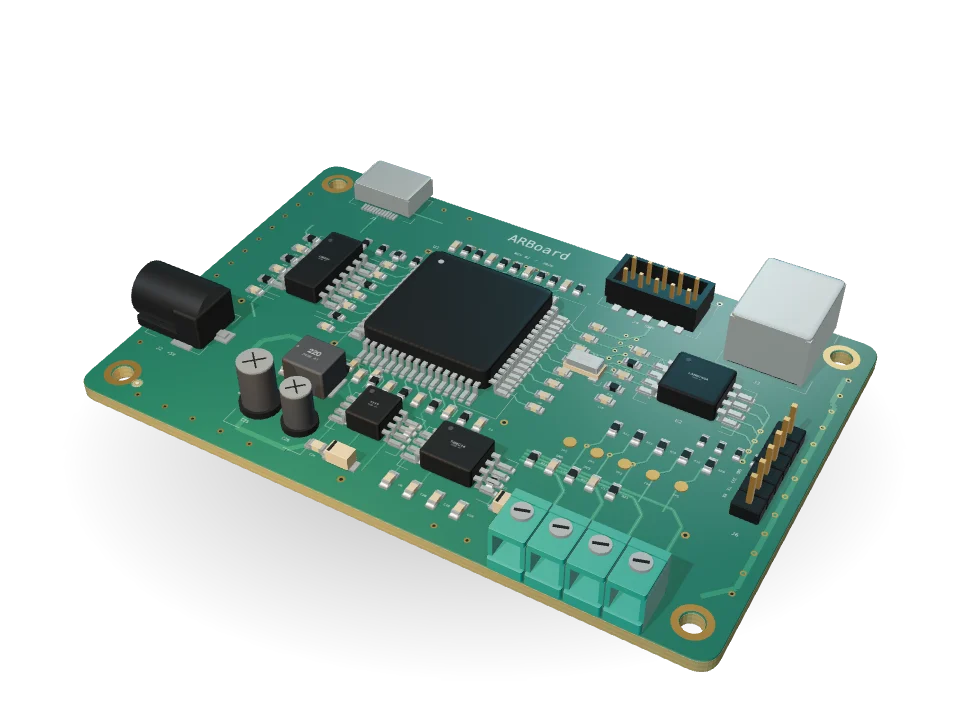
Interactive 3D presentation3 of 24 boards failed
AI reads PDFs, Excel files and AOI, ICT and flying probe exports, linking each fault to its component.
The fault map colors them on the board in 2D and 3D, so the technician can see where to start.
“How did we fix this before?” The assistant searches past repairs and documents, answers and points to the spot on the board.
One click opens a Work Order: every action has an author and timestamp. At closing, the report is ready and the case stays in the history.
Board, documents and history in one place. The AI finds the answer and shows it on the board.
In the case: steps 1–4The expert joins the session, sees the same board and points to the spot, even from another department.
In the case: step 5Who did what, when and with what result. The report is ready at closing.
In the case: steps 6–7Every repair feeds the history, for the next shift and for whoever joins the company tomorrow.
In the case: step 7Board data a single ODB++, IPC-2581 or Gerber file
Workstations standard PCs on the company network
3D model STEP file
Bill of materials Excel or CSV
Documentation manuals, schematics and datasheets in PDF
History the reports you already have, imported with AI
ARBoard runs entirely on your servers: application, database and AI models. No data leaves the company network.
Production
Automated
failed
test
Repair
Manual
Thousands of coordinated operations, repeated precisely by machines.
If a board fails the test, it goes back to the bench: measurements, tools, hands and decisions.
Understanding that fault, on that board. It takes information and experience, right away.
One format for each test station, to be linked back by hand to components and positions.
Where they live: On the test station
Layouts, schematics, BOMs and datasheets in different tools, designed for the people who design.
Where they live: In CAD tools
Instructions in scattered documents, or only in someone’s head.
Where they live: In folders and documents
The same fault has already been solved. But by whom, and how?
Where they live: In colleagues’ memories
PCB diagnosis, repair and rework in a single workspace: the board, the information, the people and the experience.
Components, nets and layout from an ODB++, IPC-2581 or Gerber file. A 3D model from STEP and an exploded layer view.
Schematics, manuals, datasheets and test reports, linked to the components they refer to.
Technicians and experts in the same session, on the same board, with chat and assistance requests.
Failure history, procedures and recorded repairs, available to whoever comes next.
And an AI colleague, ARBerto, working on all of this. 100% local.
The narrated presentation
From circuit board to resolved fault: a demonstration case shows how data, people and an AI colleague work together. Everything stays on-premise, AI included.
Explore the interactive presentationA concrete case
September 29. End-of-line testing of the CX-200 control unit reports 3 boards out of 24 that fail the Ethernet functional test. We need to find out why, repair them and get them back on the line.
The cast
The seven steps
Demonstration scenario. All screens are captured from the ARBoard software.
Step 1 · The test report
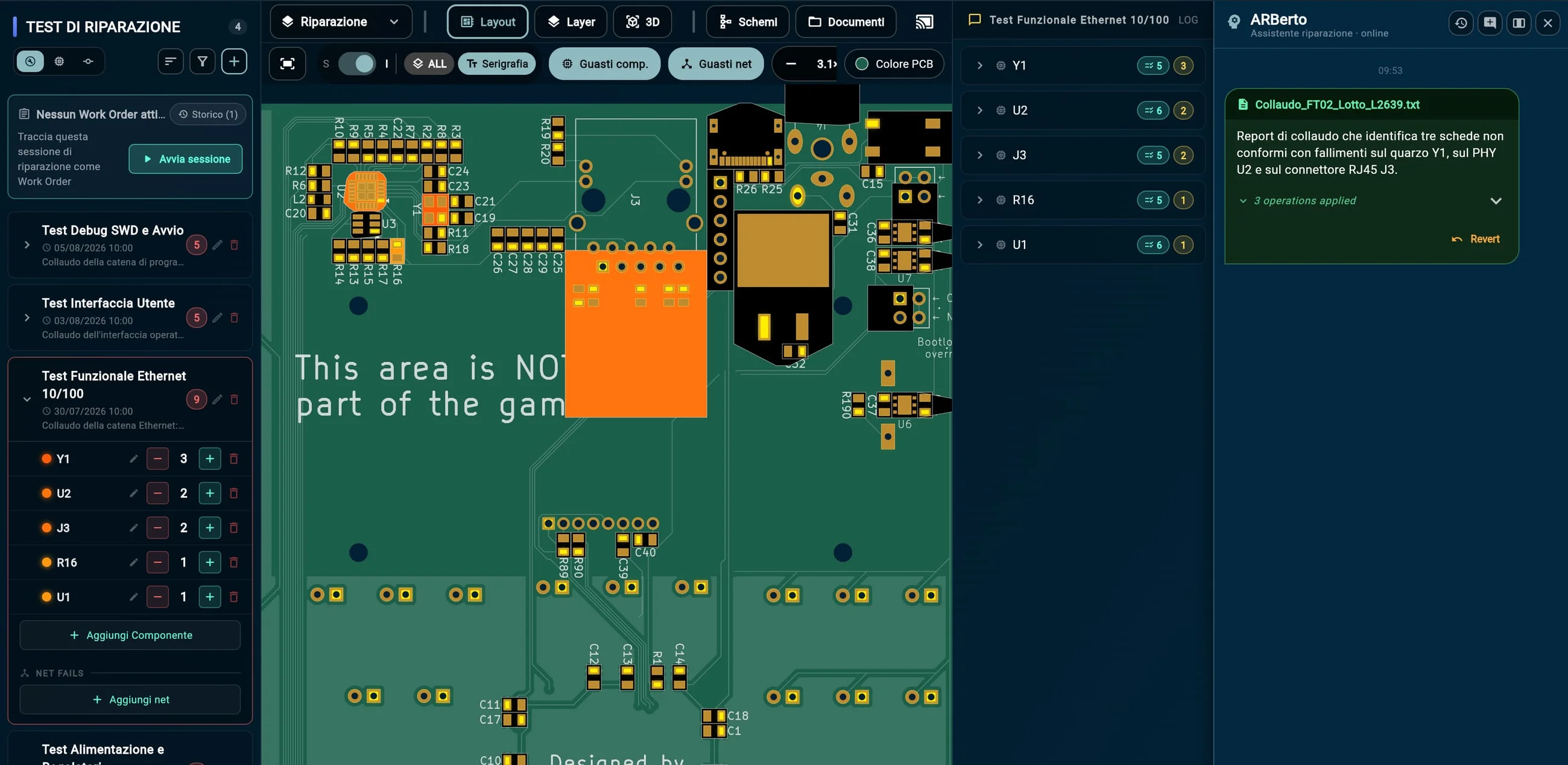
1. Luca drags the test station report into the assistant: ARBerto recognizes the test and assigns each failure to the right component (Y1, U2, J3).
2. The history and the fault map on the board update themselves: no copy and paste, and every import can be undone.
Step 2 · Where to look
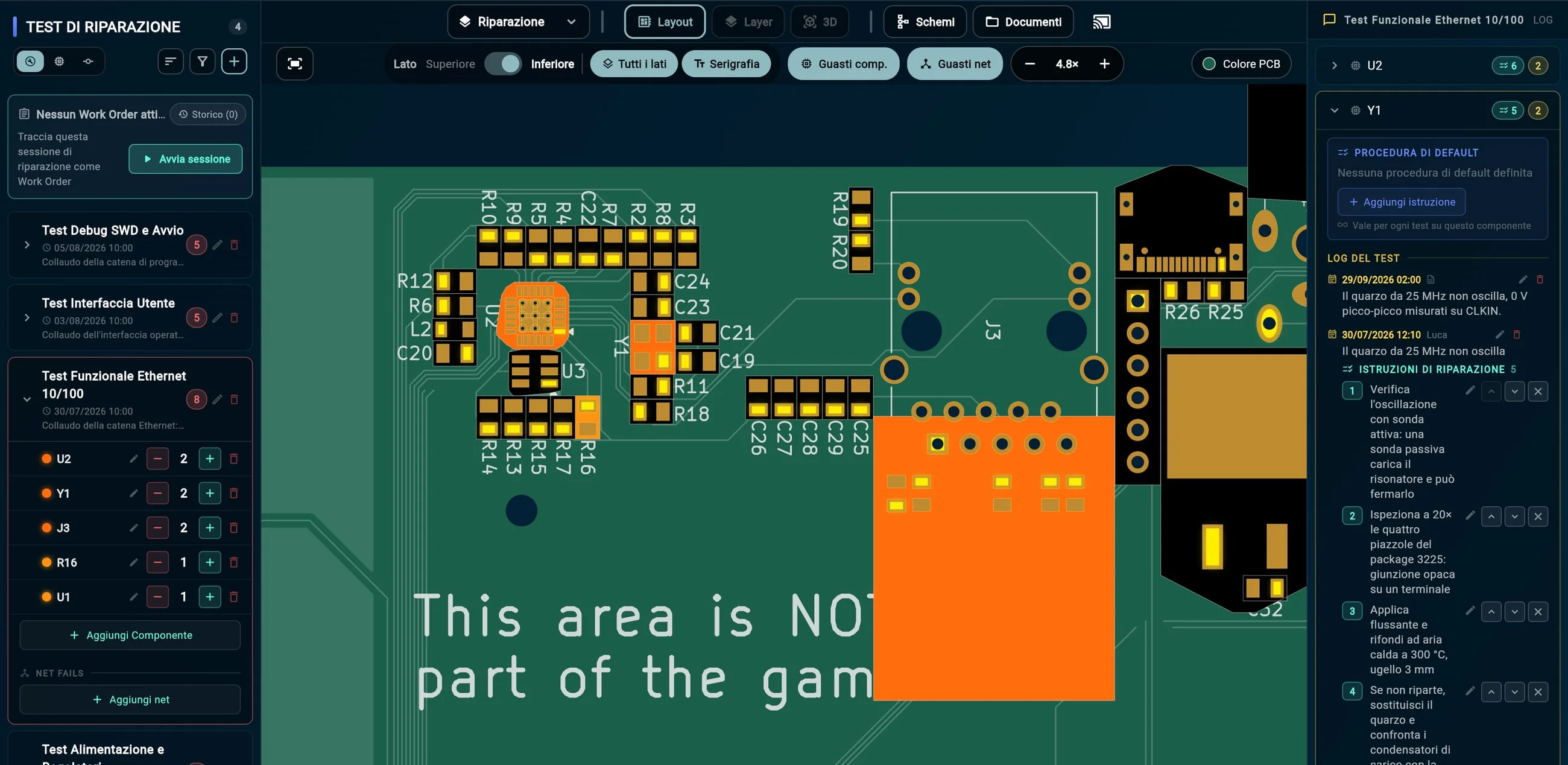
1. ARBoard counts how many times each component has made the Ethernet test fail.
2. On the board, the components are colored accordingly: the PHY U2, the crystal Y1 and the connector J3 stand out.
3. On Y1, next to the failure just imported, is the procedure used last time: five steps, down to the load capacitors.
Step 3 · The AI colleague
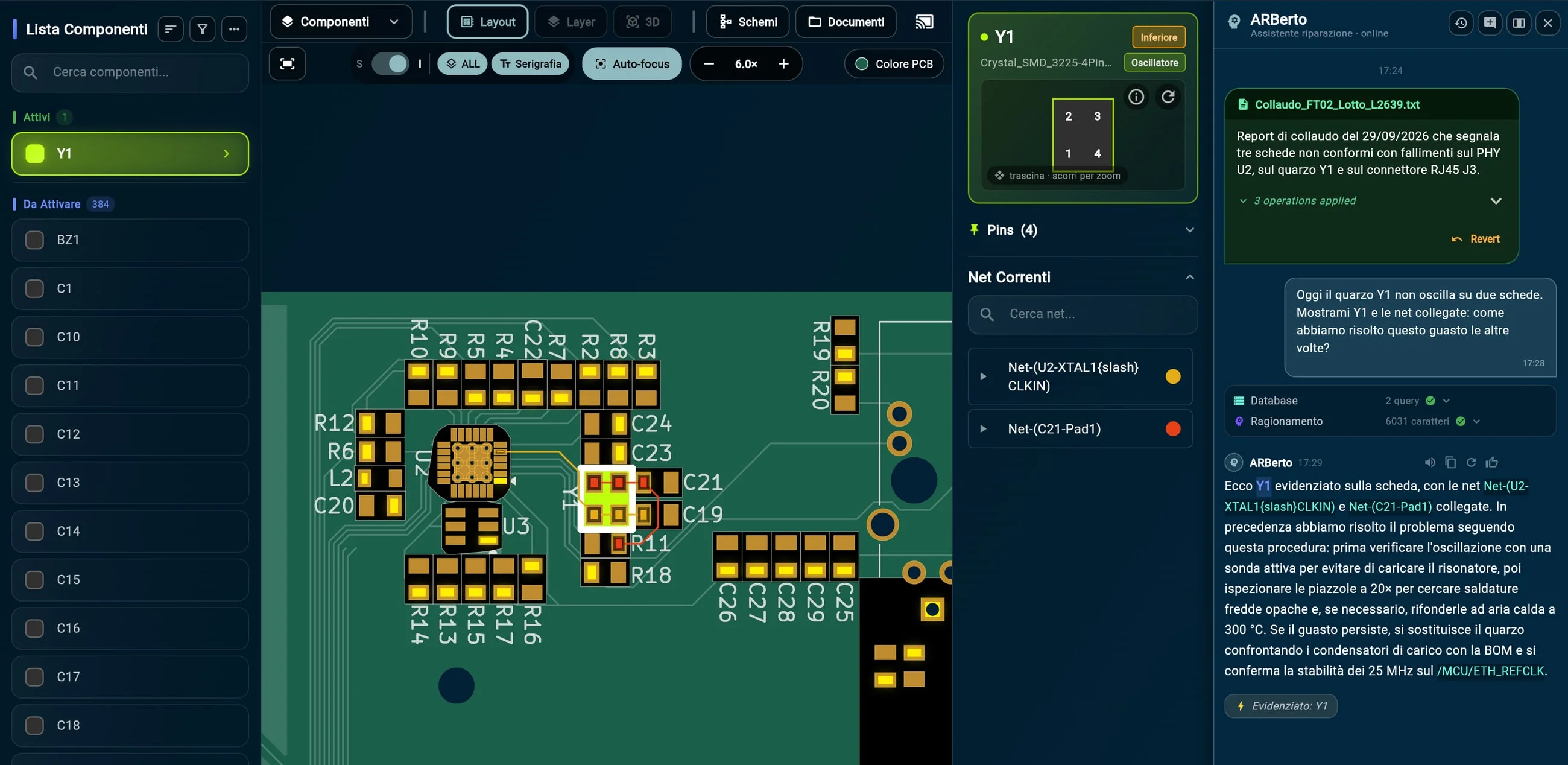
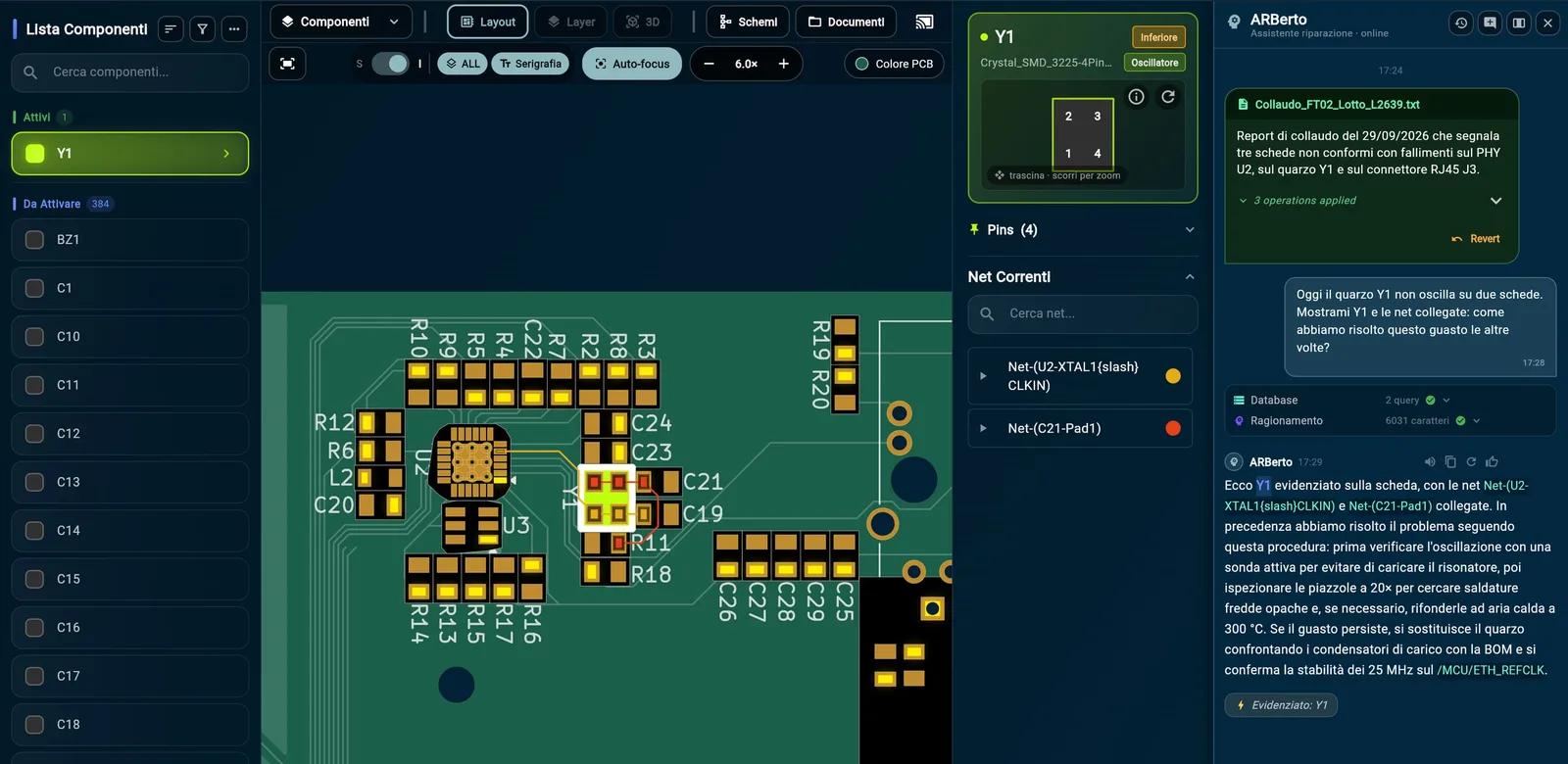
1. Luca asks, by voice or in writing: “How did we solve this the other times?”
2. ARBerto checks the history and brings back the procedure already used.
3. Meanwhile it highlights Y1 and its nets on the board.
Step 4 · Exploring the board
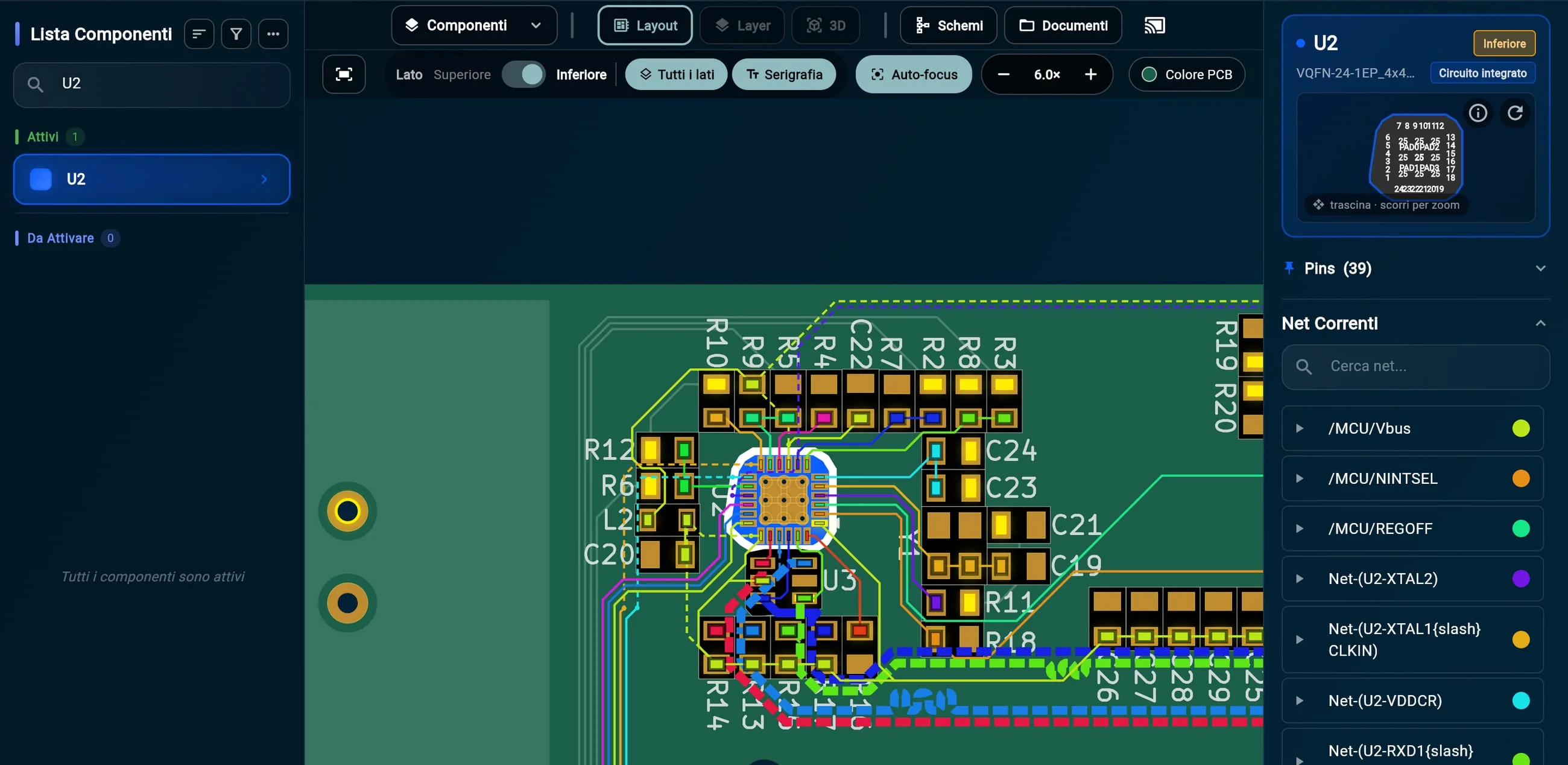
1. Luca selects U2, the Ethernet PHY: its pins and every connected net light up, each in its own color.
2. On the right, the component’s nets: each one leads to the other connected components, so you can decide where to measure.
Step 4 · Exploring the board
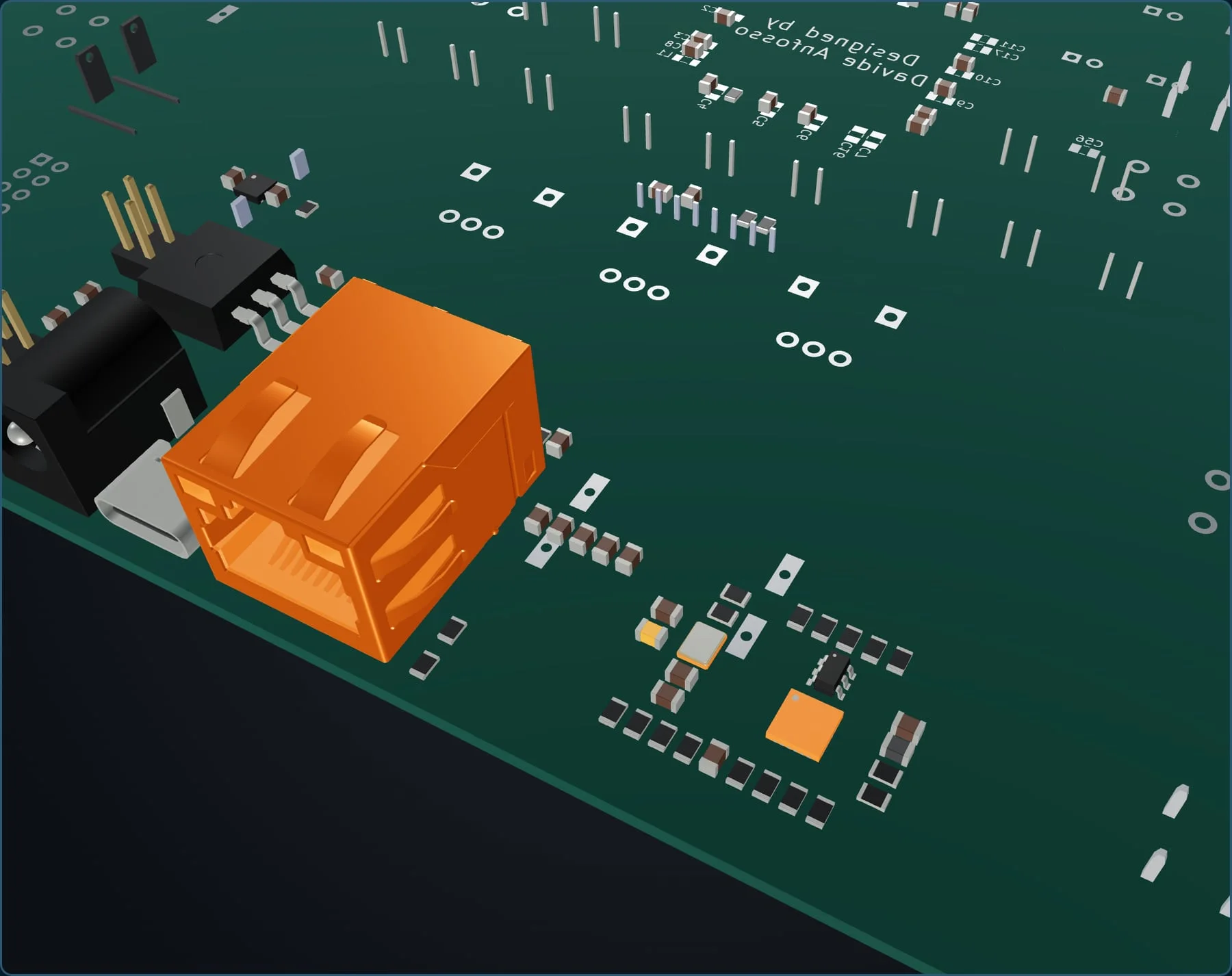
1. 3D view from the STEP model The fault map on the real board model: the connector J3, the PHY U2, the crystal Y1 and its C21.
 Open the full-resolution image
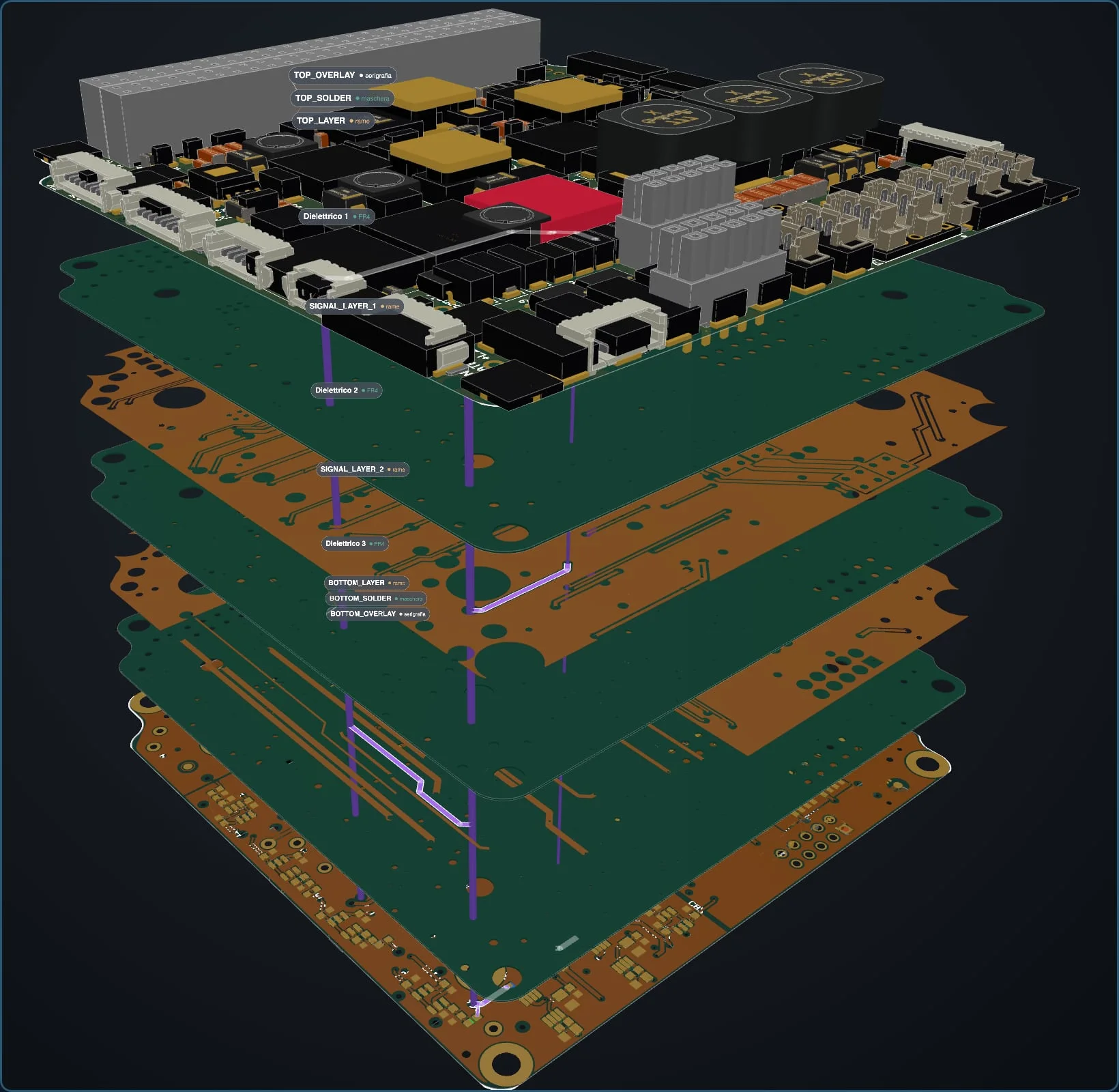
 2. Exploded stack-up, in true colors A net can be followed layer by layer, from the surface components to the inner layers.
Step 5 · A second opinion
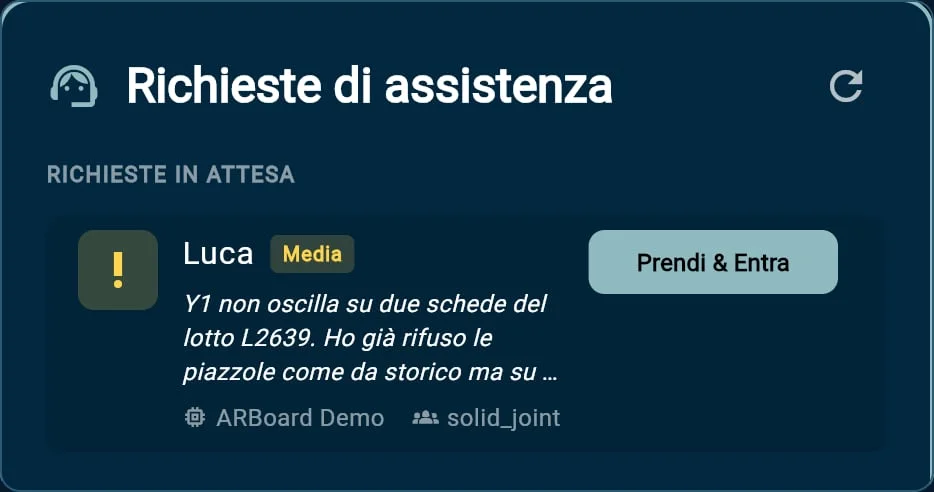
1. Luca asks for assistance, stating the urgency and the problem.
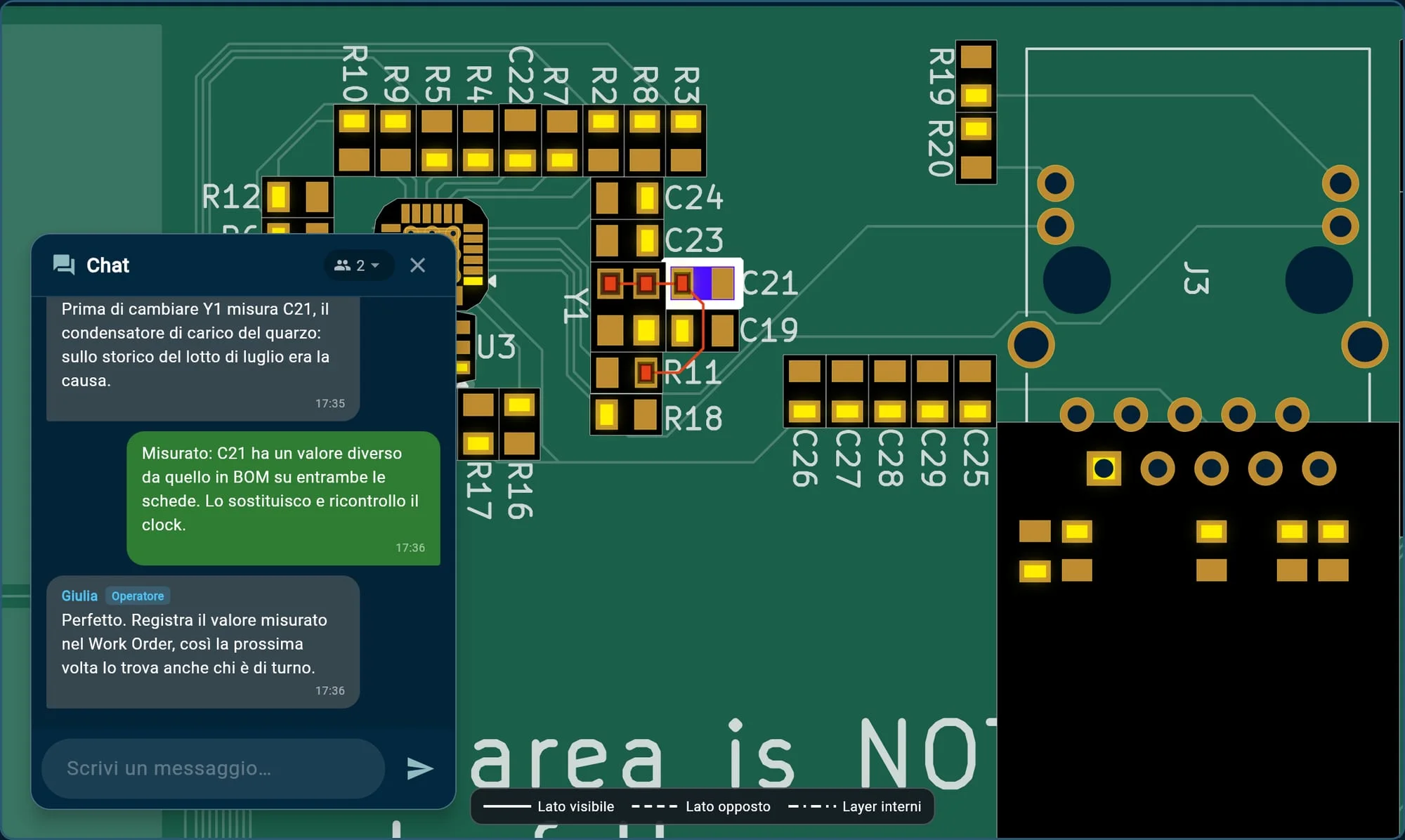
2. Giulia, in another department, receives the request: with “Claim & Join” she is in the same session, on the same board.
 Open the full-resolution image
 3. They talk in the built-in chat. When Giulia selects C21, it lights up on Luca’s screen too.
At the bench
“Measure C21 before replacing Y1”
Giulia, expert
Then it’s back to hands and tools. Luca measures C21: on both boards, the value does not match the bill of materials. He replaces it, rechecks the 25 MHz clock and reruns the Ethernet test: passed. On the third board the problem is different: connector J3 has to be replaced.
Test result
Ethernet functional test
C21 replaced, clock restored
Step 6 · Recording the repair
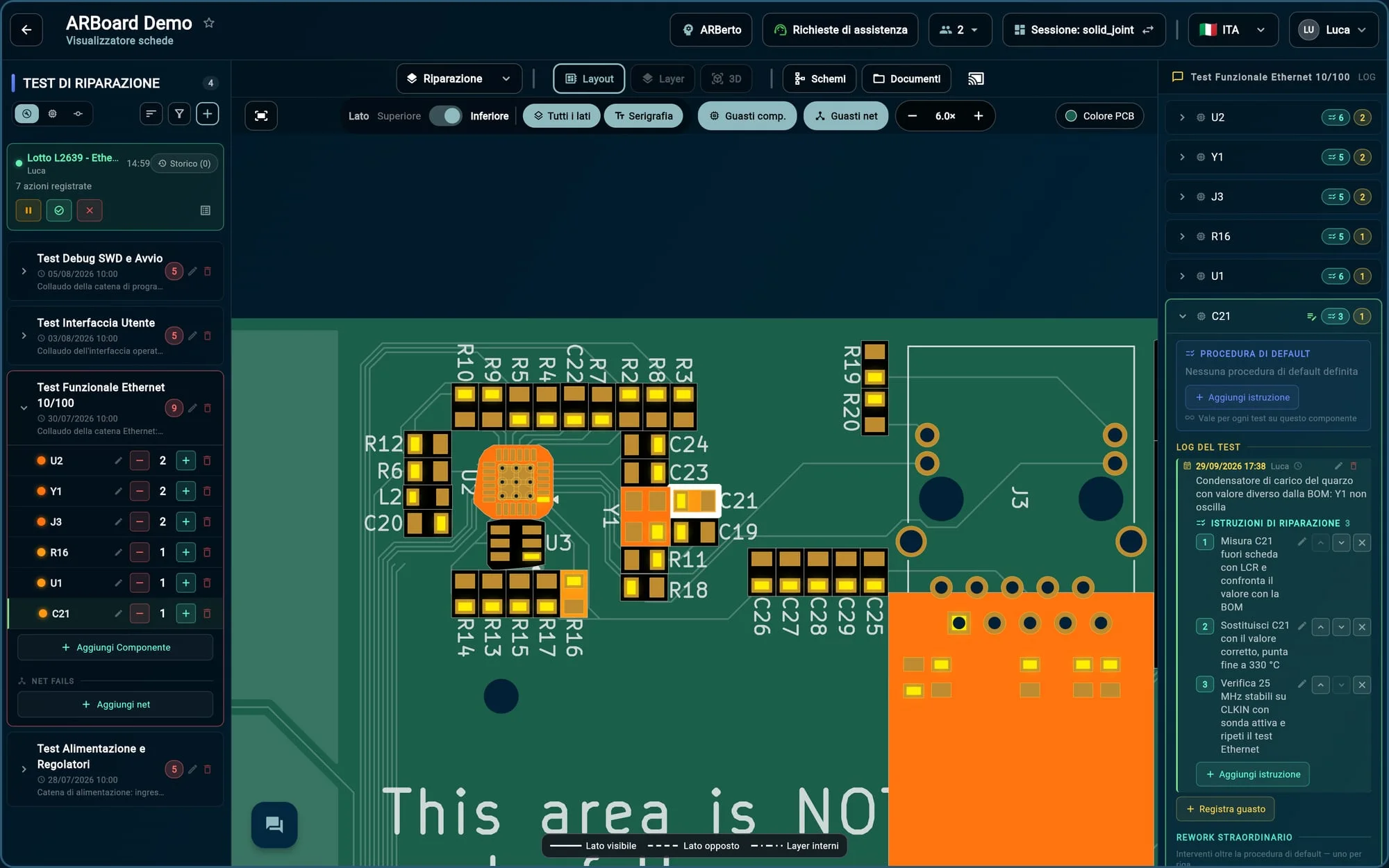
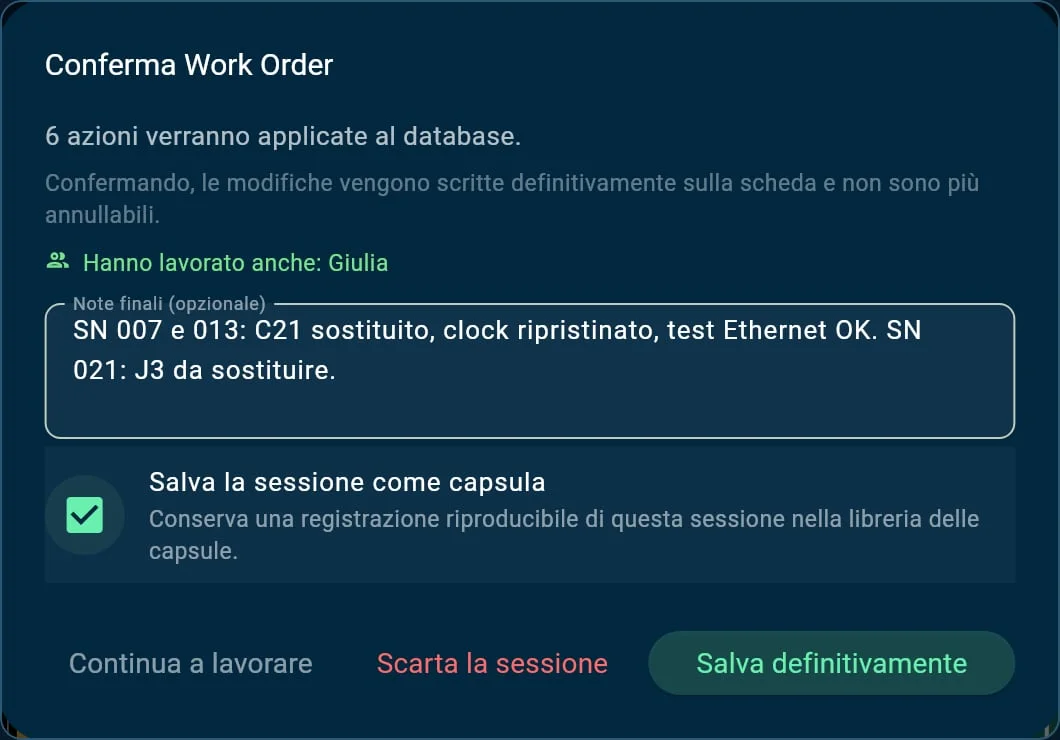
1. Luca opens a repair session (Work Order): from here every action is recorded, with author and time.
2. He adds C21 to the Ethernet test failures…
3. …with a description of the problem and the repair instructions, step by step.
Step 7 · The report
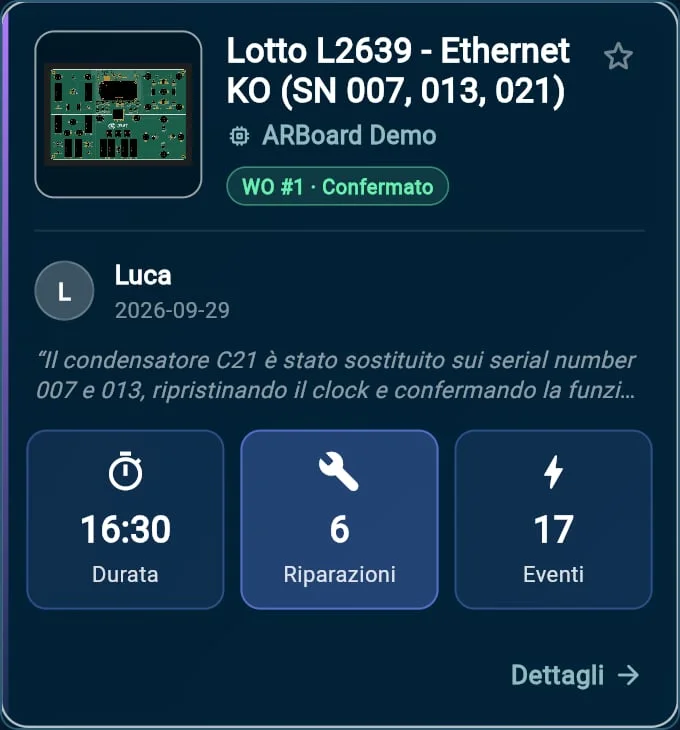
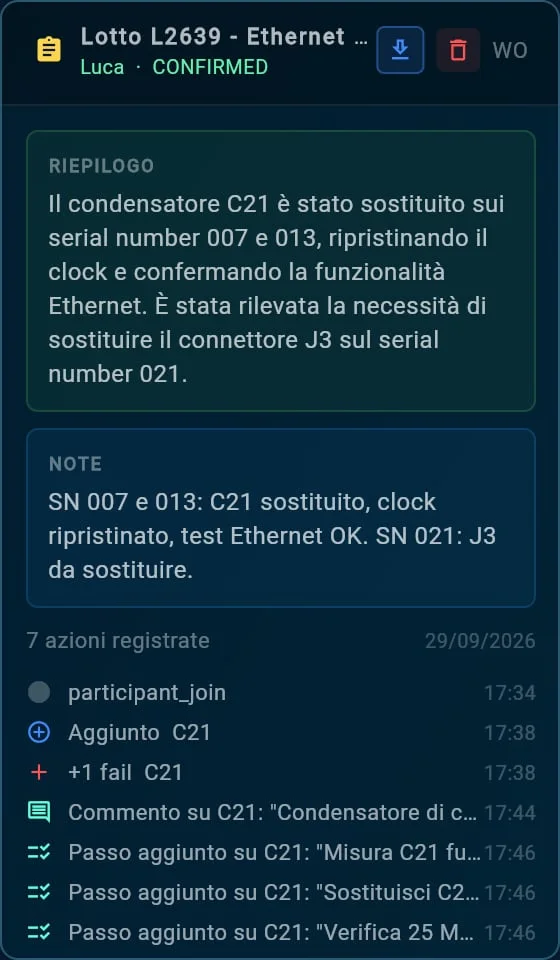
1. On confirmation, ARBoard records who worked on the case, Giulia included, and saves the session as a repair example.
 Open the full-resolution image
 2. The AI summary writes itself, next to the notes and the action log.
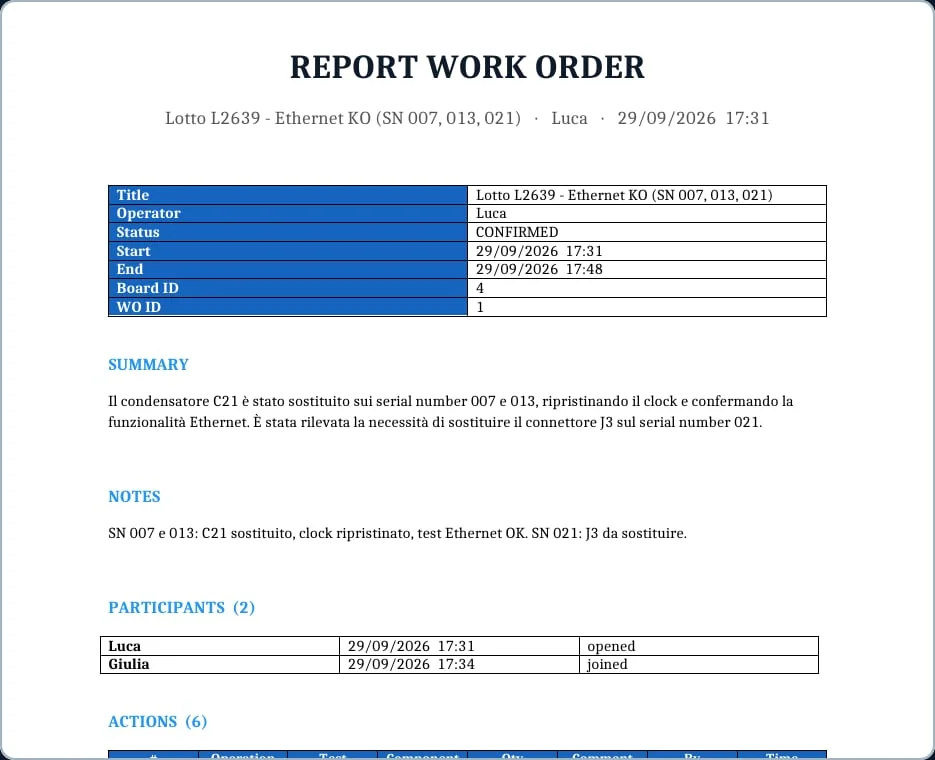 Open the full-resolution image
 3. One-click export to Word, Excel or CSV: the document for quality or for the customer is ready.
Step 7 · The memory
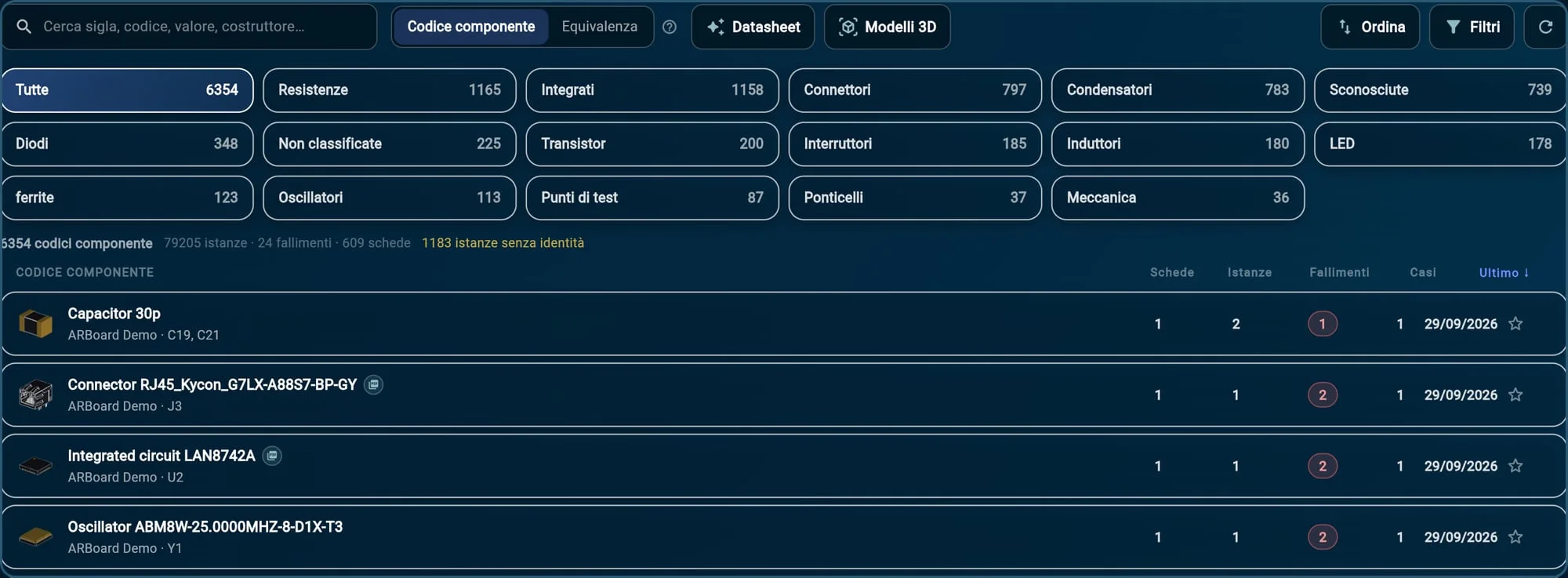
1. The session becomes a repair example: searchable and reproducible step by step, with author and summary.
 Open the full-resolution image
 2. The component catalog adds up the failures of every board. At the top, the parts from this case: today’s 30 pF capacitor, the RJ45 connector, the PHY and the oscillator.
The next crystal that fails to oscillate will start from here, and ARBerto will know.
The outcome
Two boards from lot L2639 go back on the line; the third waits for its connector. The work stays: in the session, in the report and in the component catalog. Anyone who runs into a crystal that won’t oscillate will find the same path and can weigh it against their own board.





Let’s organize a demo: we’ll show you every feature, answer your questions and think together about how ARBoard can fit into your company’s work.
Giorgio Insinga — CEOgiorgio@arboard.eu