
All the work around the PCB, in a single platform.
For PCB diagnosis, repair and rework: ARBoard brings the board, the information and the people together in a single workspace, with an AI colleague at their side. Installed on your premises: no data leaves.
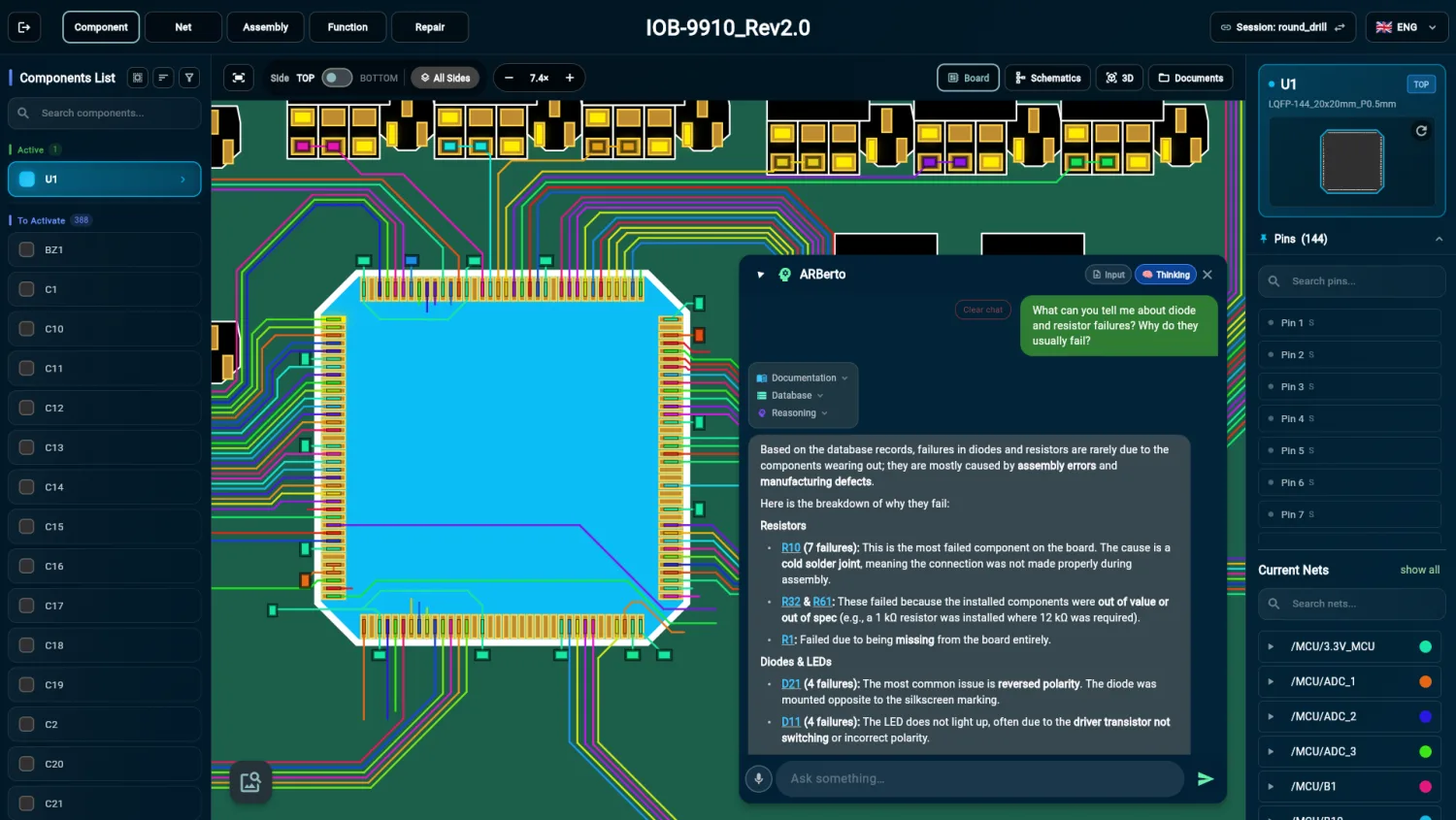
From a single file, the whole board
A single ODB++, IPC-2581 or Gerber file is enough: ARBoard derives the components, nets, layout and layer stack-up from it. With the STEP file the board is also shown in 3D, and the bill of materials comes in from Excel or CSV.
- Board data ODB++IPC-2581Gerber
- Components
- Nets
- Layout
- Layer stack-up
- 3D model STEP
- 3D view of the board
- Bill of materials ExcelCSV
- The board’s BOM
-
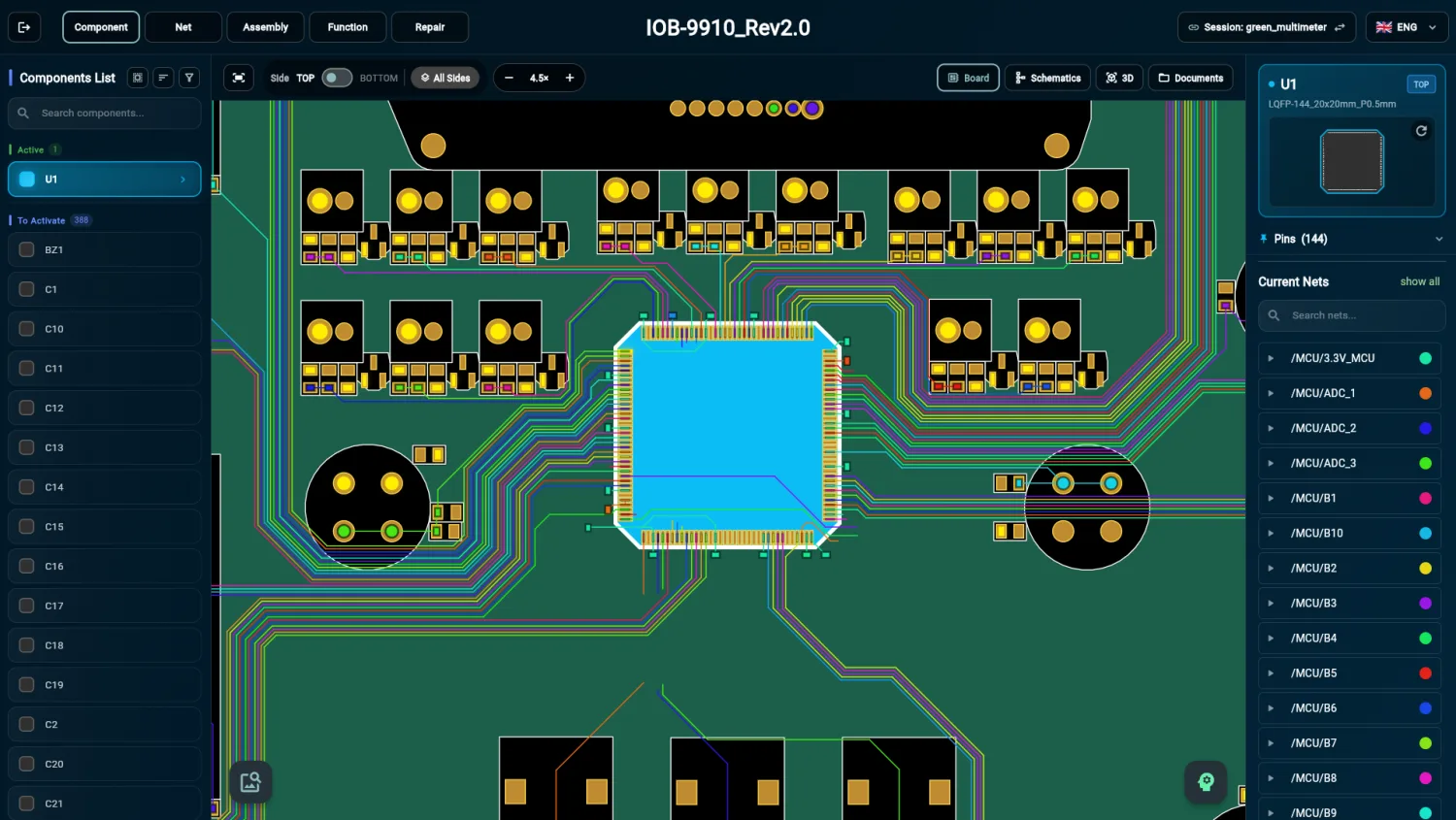 Enlarge the screenshot
 Components
Select a component: its pins and connected nets light up on the board.
-
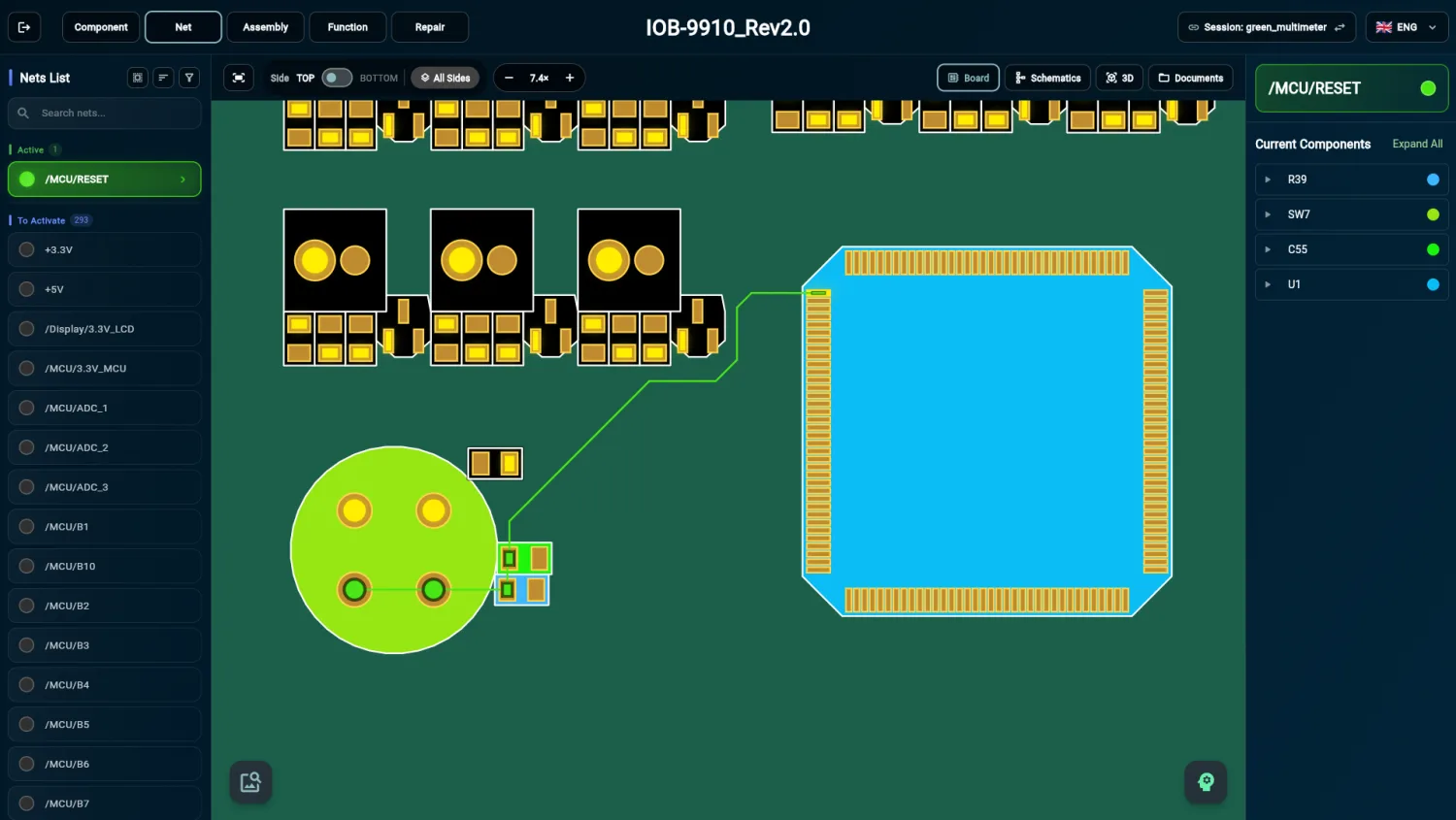 Enlarge the screenshot
 Nets
Trace a net and see every component it connects.
-
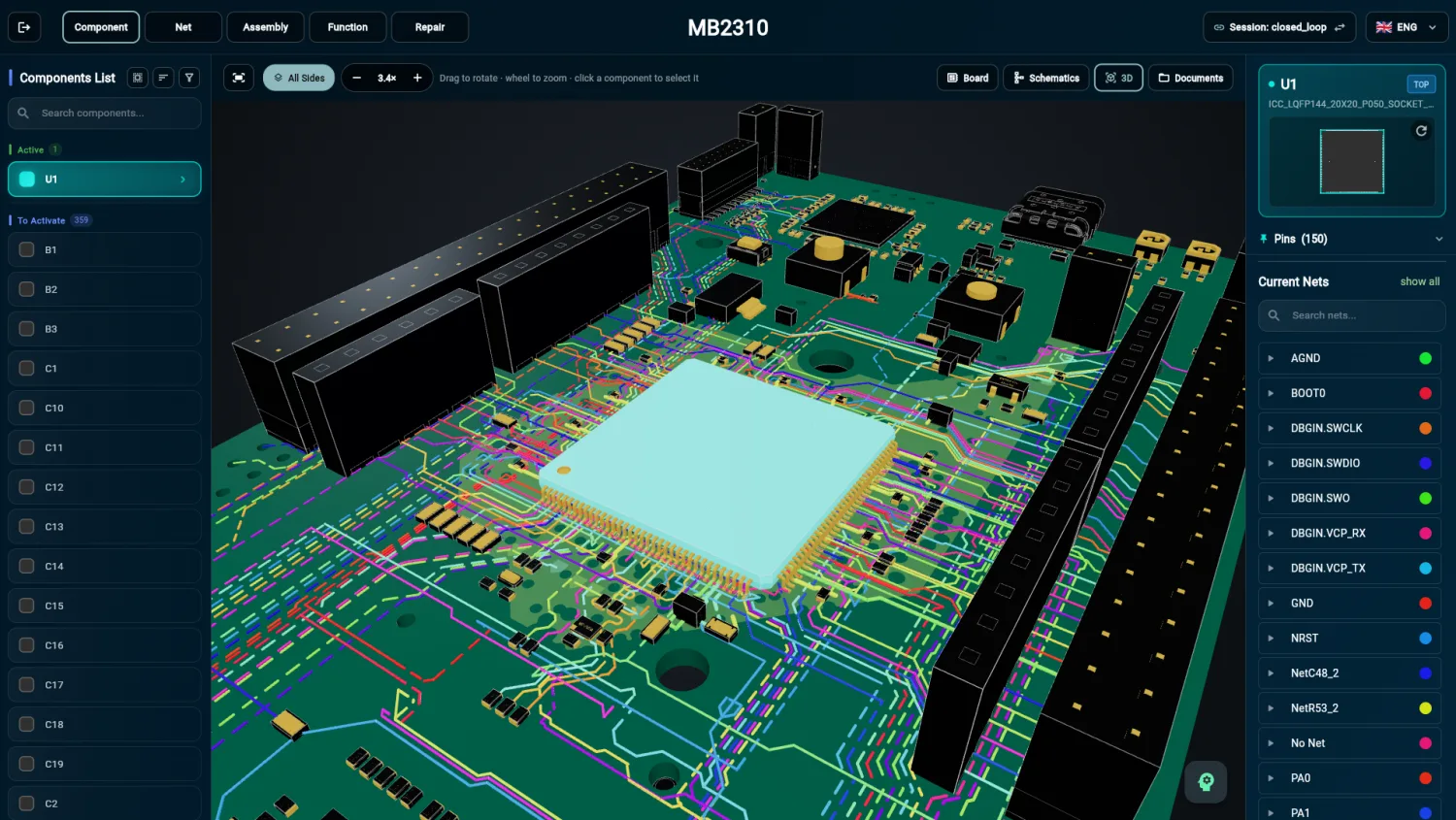 Enlarge the screenshot
 3D view from the STEP model
Select a component on the board’s 3D model, too.
-
 Enlarge the screenshot
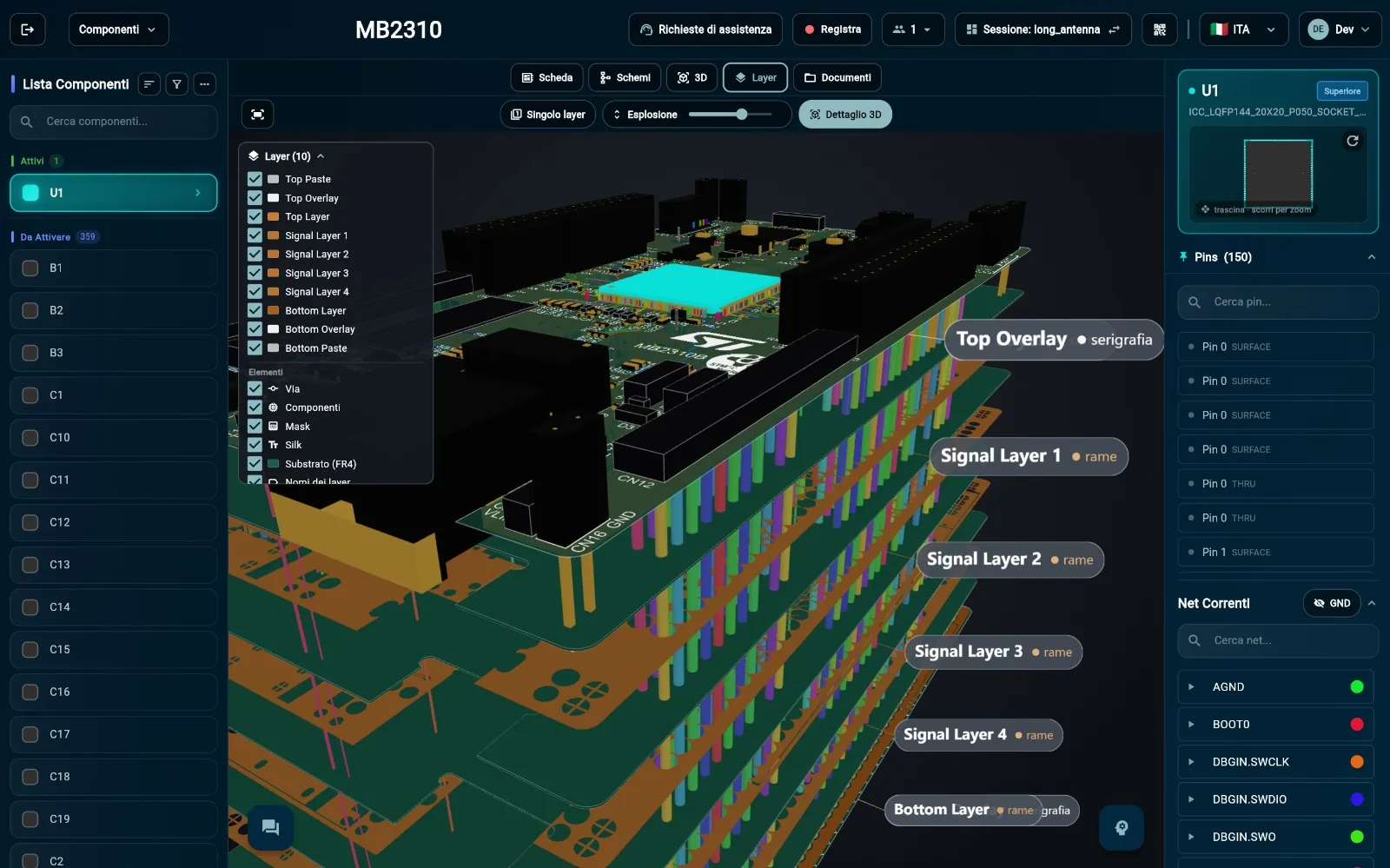
 Exploded stack-up
The layers pulled apart, from silkscreen to inner layers: follow a net layer by layer.
Top and bottom side, silkscreen, schematics and board documents: all one click away, in the same window.
Every document, linked to the component it refers to
Schematics, manuals, datasheets and test reports no longer sit in scattered folders or in someone’s head: they are one click from the board, in the same window as the layout. And ARBerto searches through them, citing its sources.
- SchematicsThe board schematics, one click from the layout.
- Manuals and proceduresRepair instructions, in the same workspace.
- DatasheetsComponent data, right next to the component.
- Test reportsImported with AI and assigned to the right components.
- Schematic
- Datasheet
- Board manual
- Test report
- Repair procedure
Technicians and experts in the same session, on the same board
When an opinion is needed, the technician asks for assistance right from ARBoard. An expert colleague, even in another department, receives the request, claims it and joins the session: they see the same board, point to the spot and talk it over in the built-in chat.
-
 Enlarge the screenshot
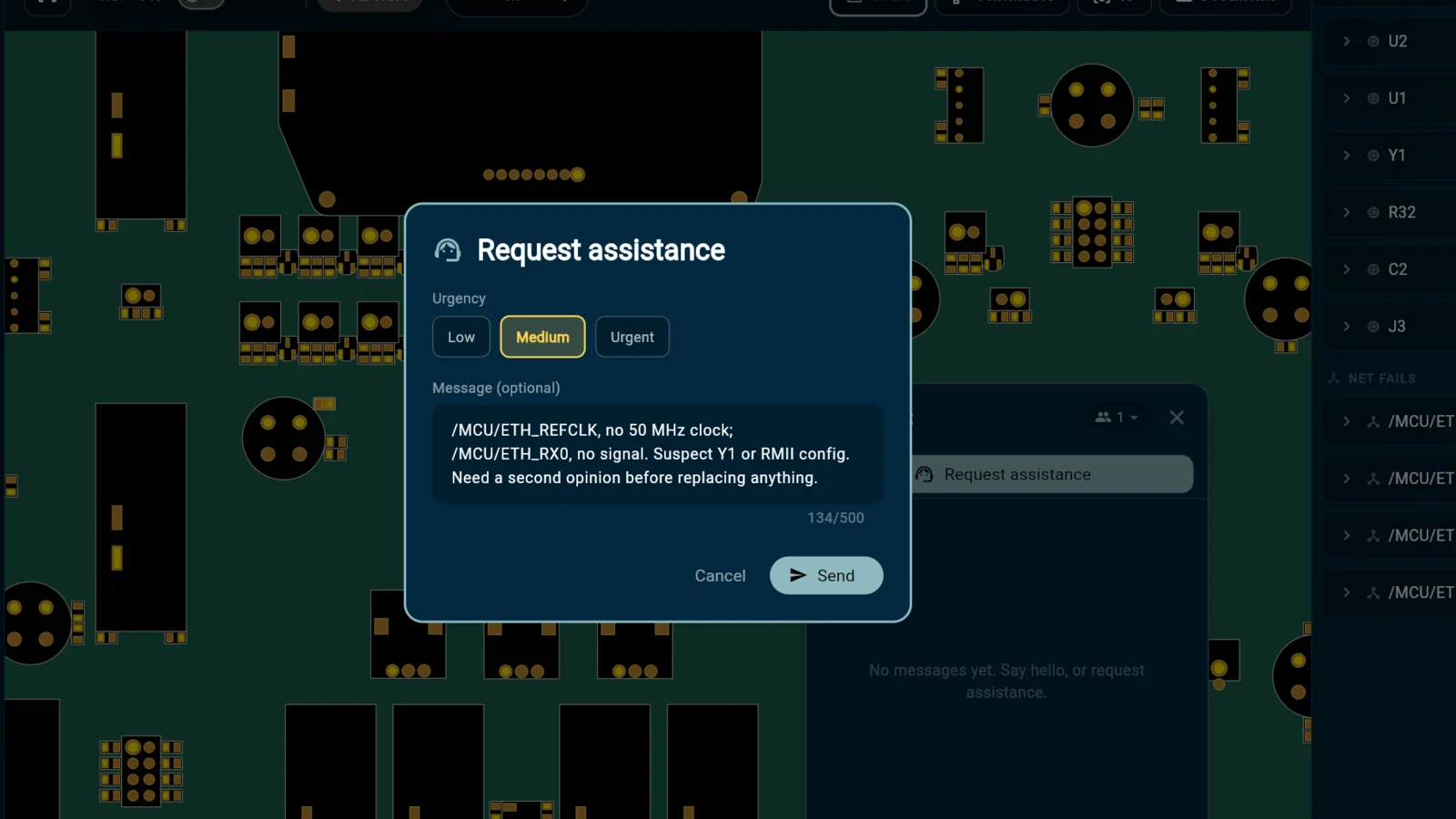
 Assistance request
The technician describes the problem and sets its urgency, without leaving ARBoard.
-
 Enlarge the screenshot
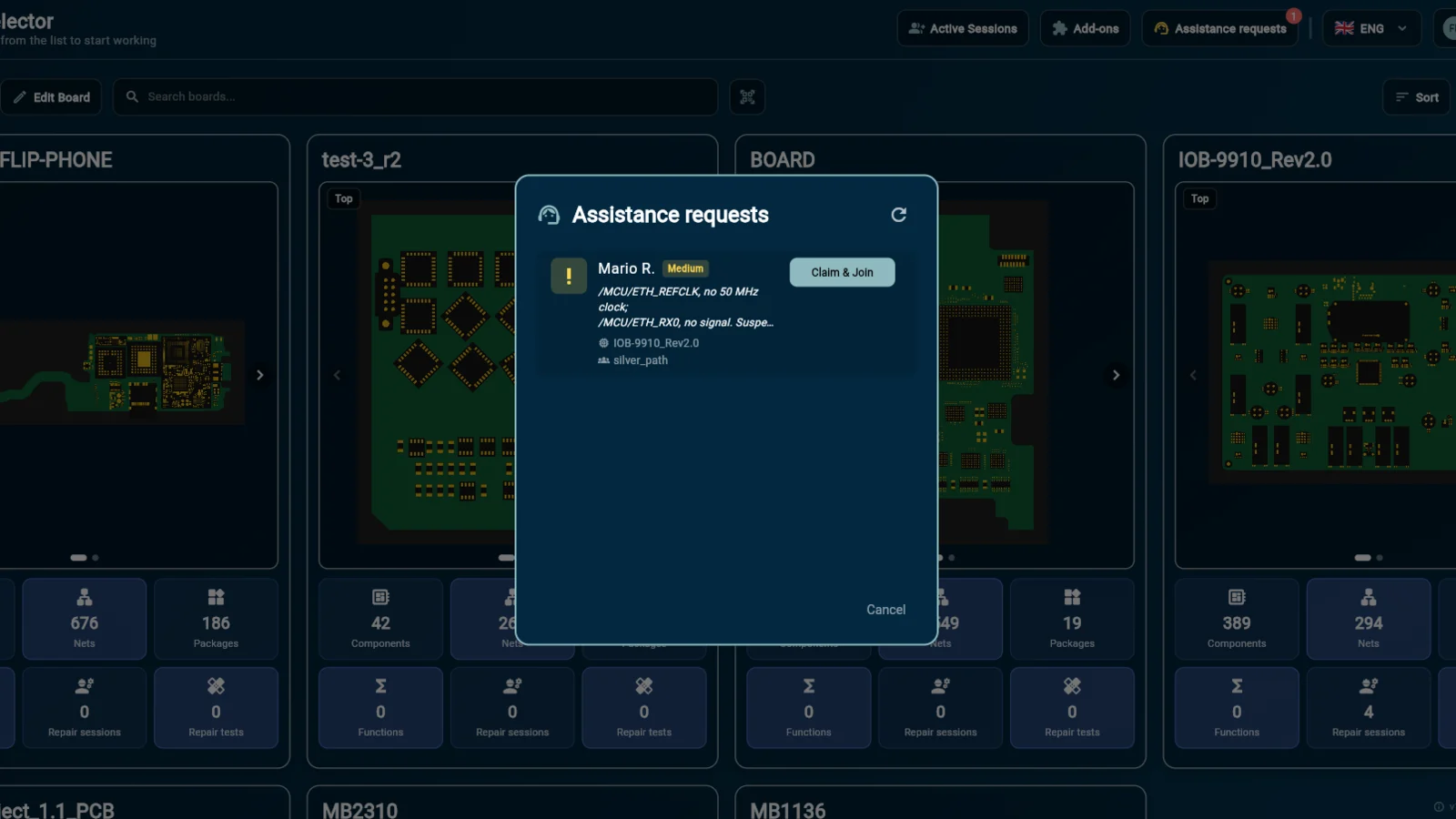
 “Claim & Join”
The request reaches colleagues with its urgency and details: one click to claim it and join the session.
-
 Enlarge the screenshot
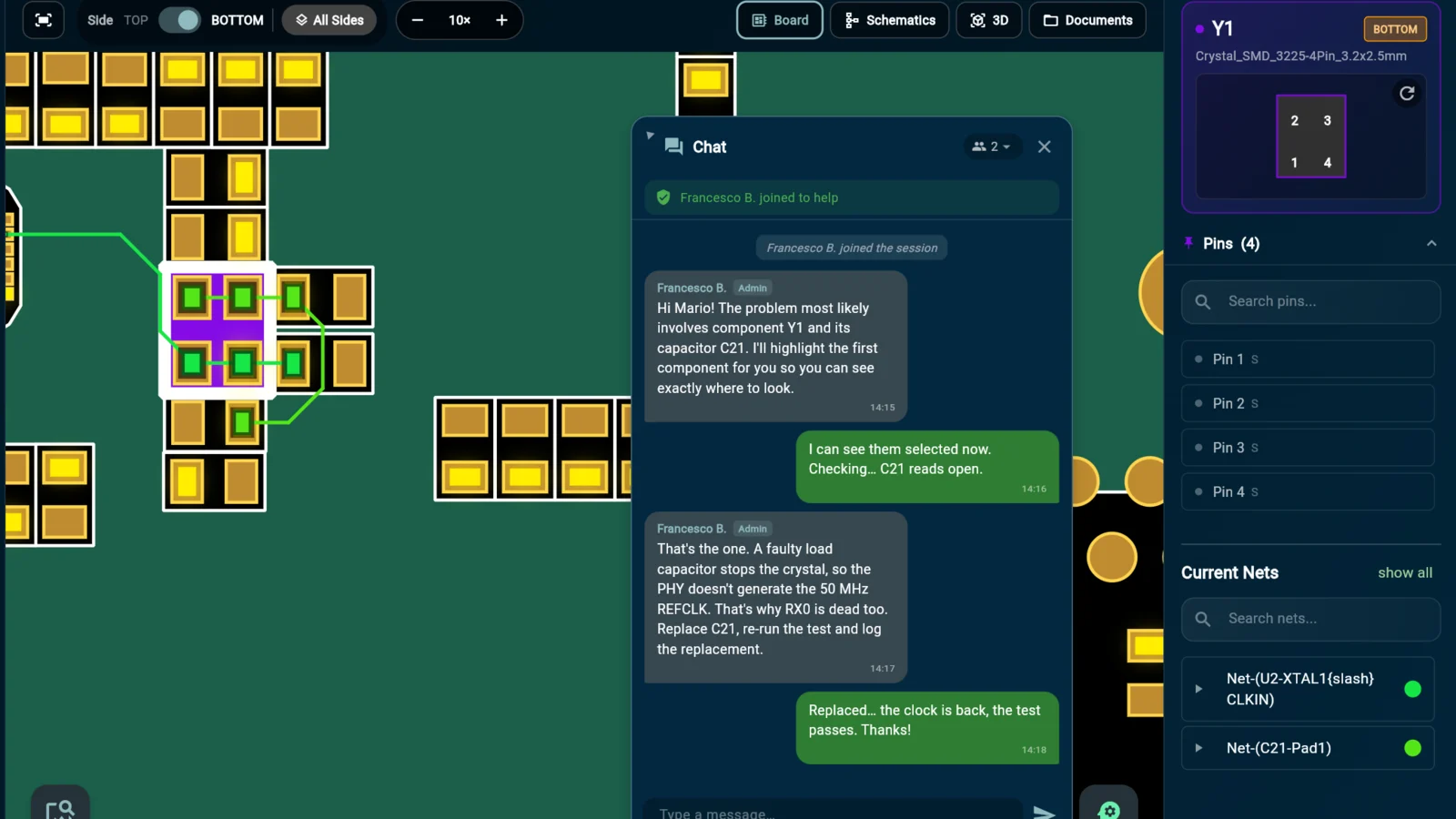
 Shared session
Built-in chat and shared selection: what the expert selects lights up on the technician’s screen too.
History, procedures and repairs, available to whoever comes next
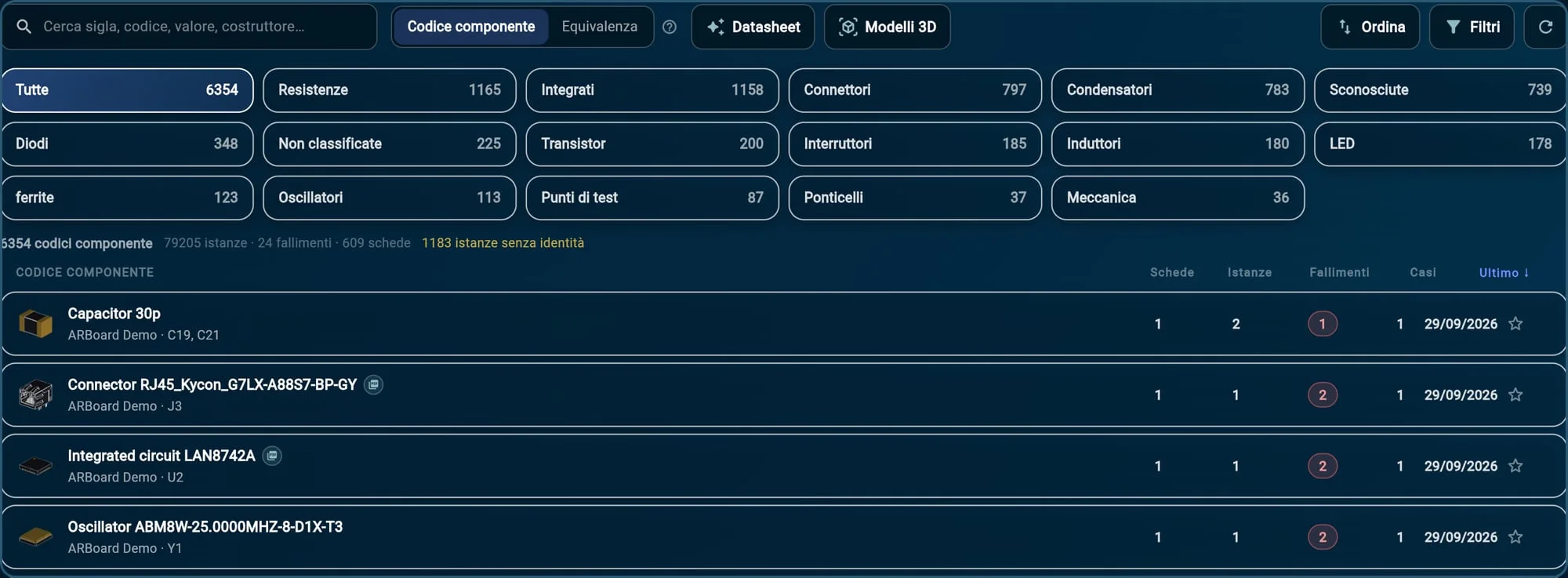
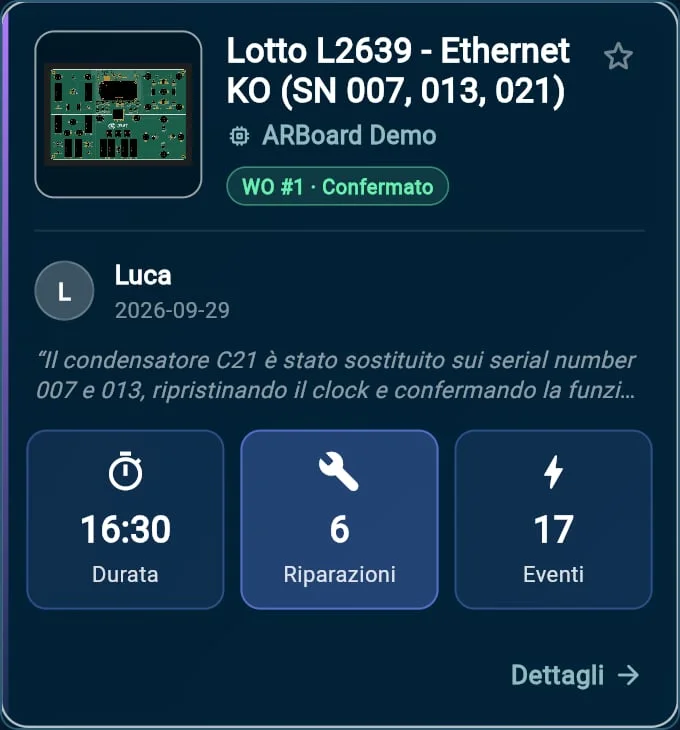
Every repair feeds the history. Closed sessions become repair examples you can search and replay step by step, and the component catalog adds up the failures of every board. Whoever joins tomorrow does not start from scratch.
- Failure history By component and by test, on the fault map.
- Recorded procedures Step-by-step repair instructions, on the component.
- Repair examples Every closed case, with author, summary and actions.
- Component catalog The failures of every board, component by component.
ARBerto, ARBoard’s AI colleague
It works on all of this: the board, the documents, the history. Ask it by voice or in writing, and it shows the answer on the board. 100% local, on the company’s servers.
ARBerto in the repair workflow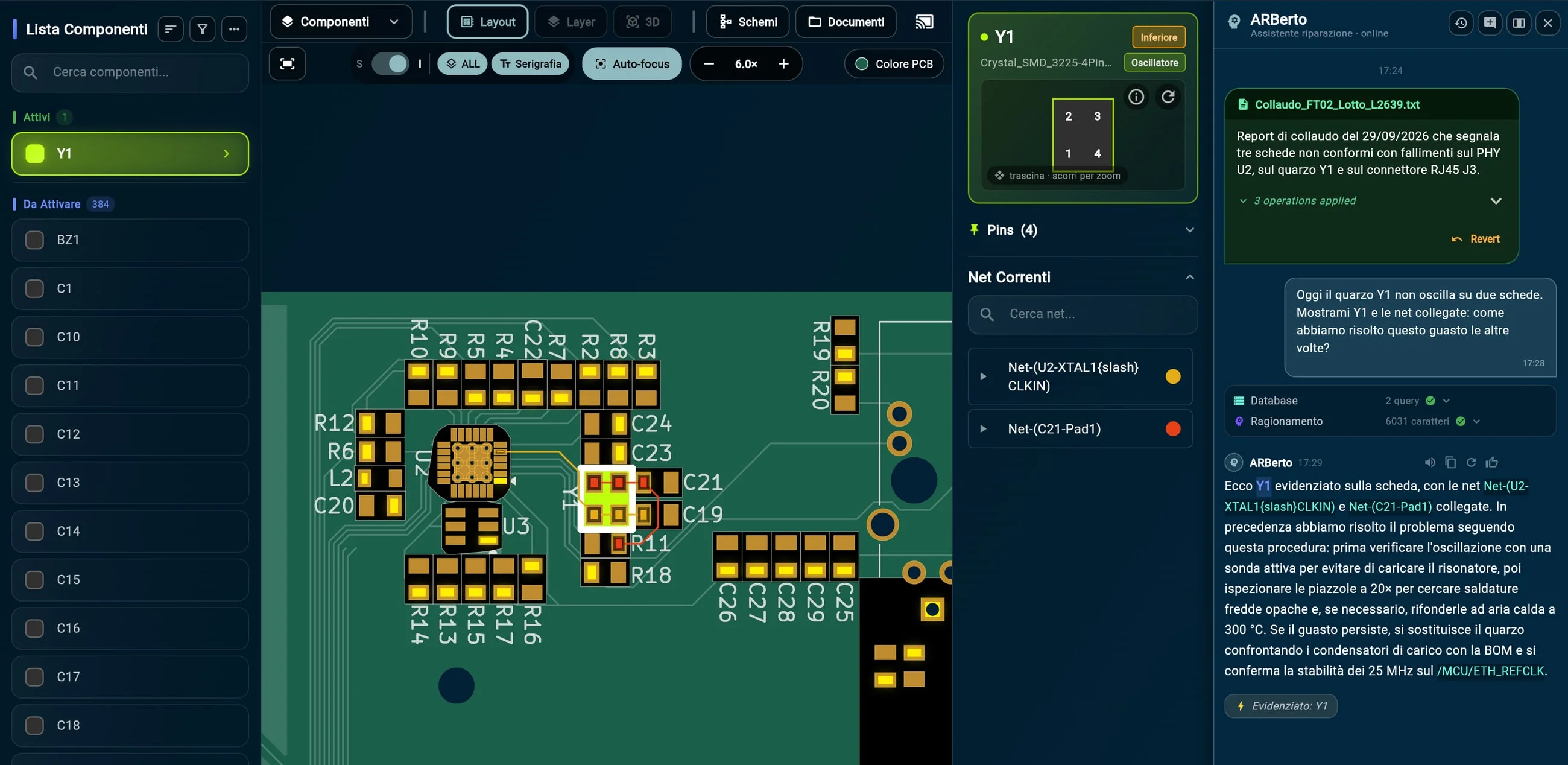 Enlarge the screenshot
 - Reads test reportsPDF, Word, Excel, CSV, XML and free text, as well as AOI, ICT and flying probe exports.
- Asks when in doubtIf a reference is ambiguous, it asks the operator. And every import can be undone.
- Searches and cites sourcesIt searches manuals, datasheets and history, and tells you where the answer comes from.
- Acts on the interfaceAs it answers, it highlights the component and its nets on the board.
- By voice or in writingAsk it as you would a colleague: “How did we solve this the other times?”
- 100% localIt runs on the company’s servers: no data leaves the company network.

See ARBoard in action.
Let’s organize a demo: we’ll show you every feature, answer your questions and think together about how ARBoard can fit into your company’s work.
Giorgio Insinga — CEOgiorgio@arboard.eu