Repair & Rework PCB repair and rework, from the failed test to experience that stays. From the test report to the final report, all in one workspace: the AI imports the tests, the fault map shows where to look, ARBerto answers from the history and an expert colleague joins the session. And every repair becomes experience for whoever comes next.
01
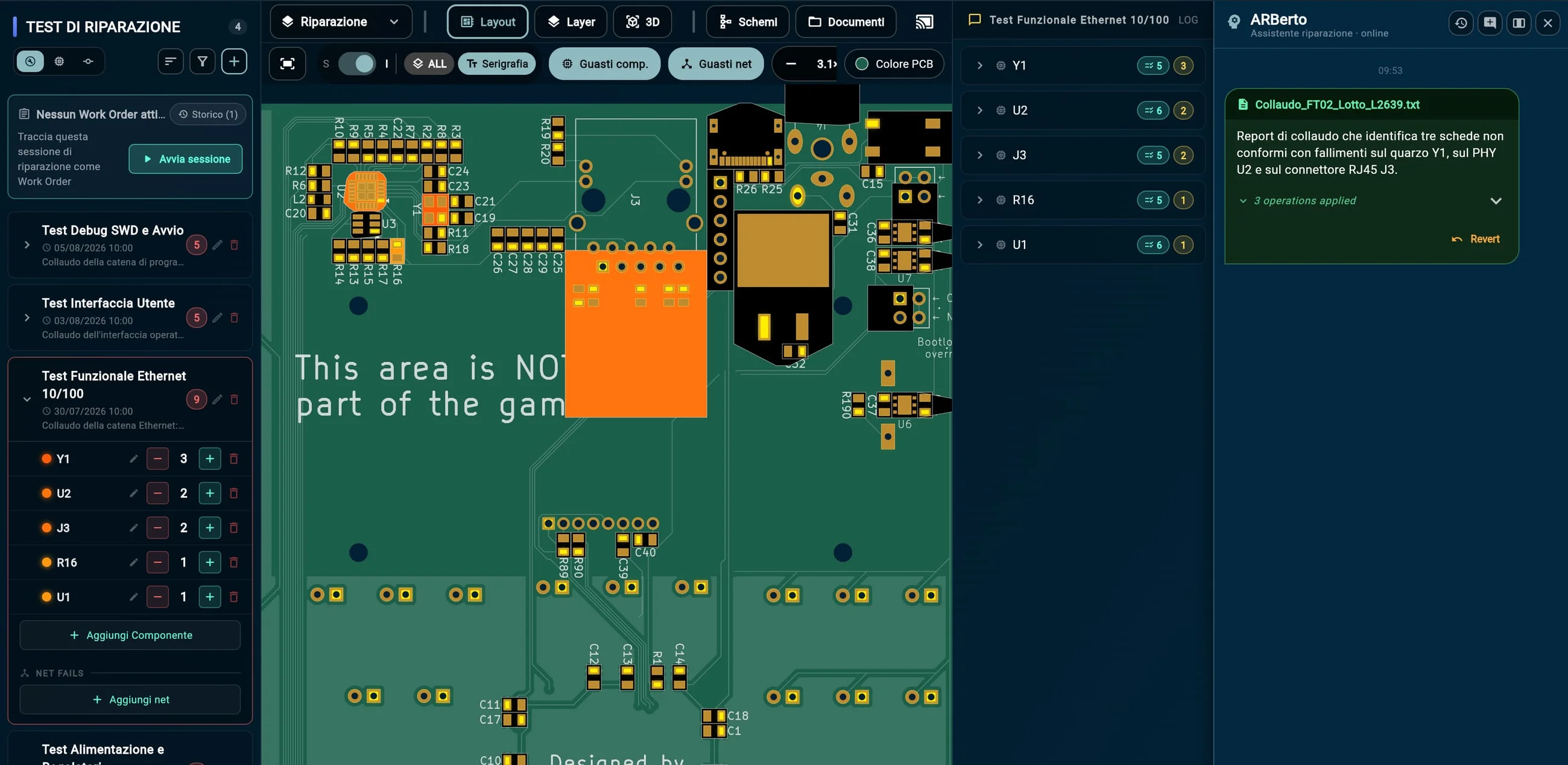
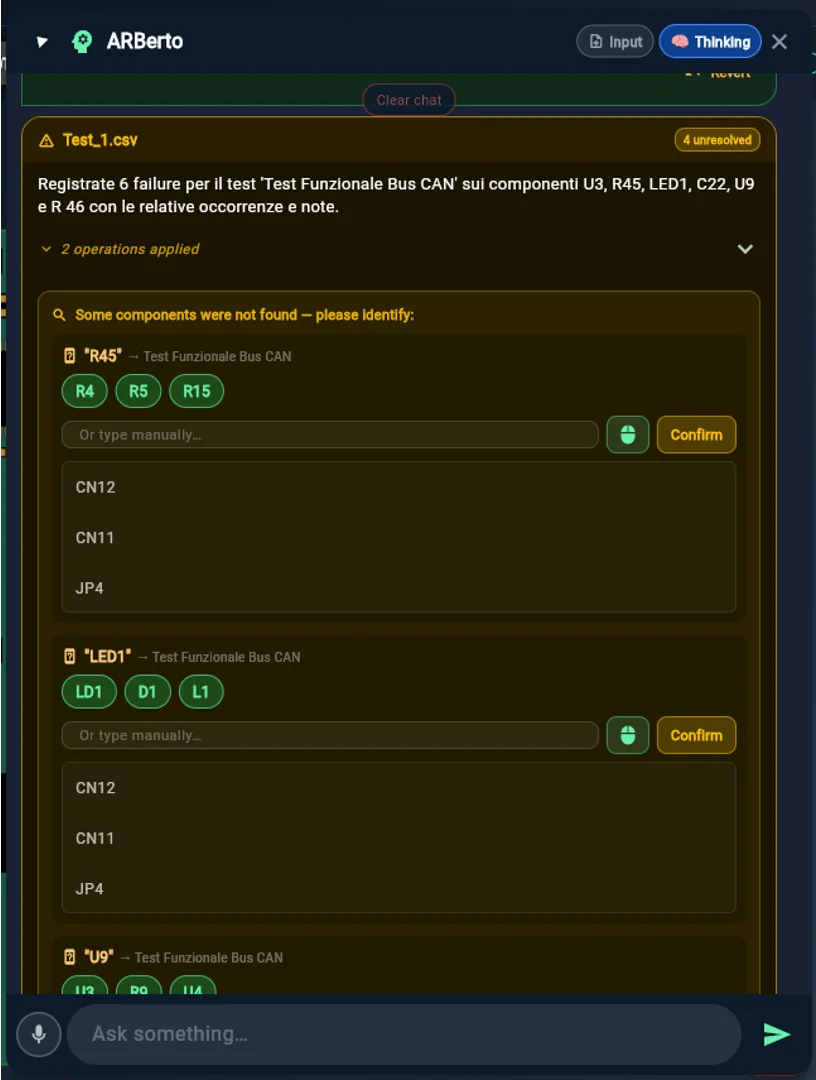
01 The report enters ARBoard AI import of test reports The test station report goes into ARBoard and the AI turns it into data, with no copy and paste.
1 Drag the report into the assistant: ARBerto recognizes the test and assigns the failures to Y1, U2 and J3. 2 The history and the fault map on the board update themselves. Formats it reads
PDF Word Excel CSV XML free text AOI · ICT · flying probe exports 02
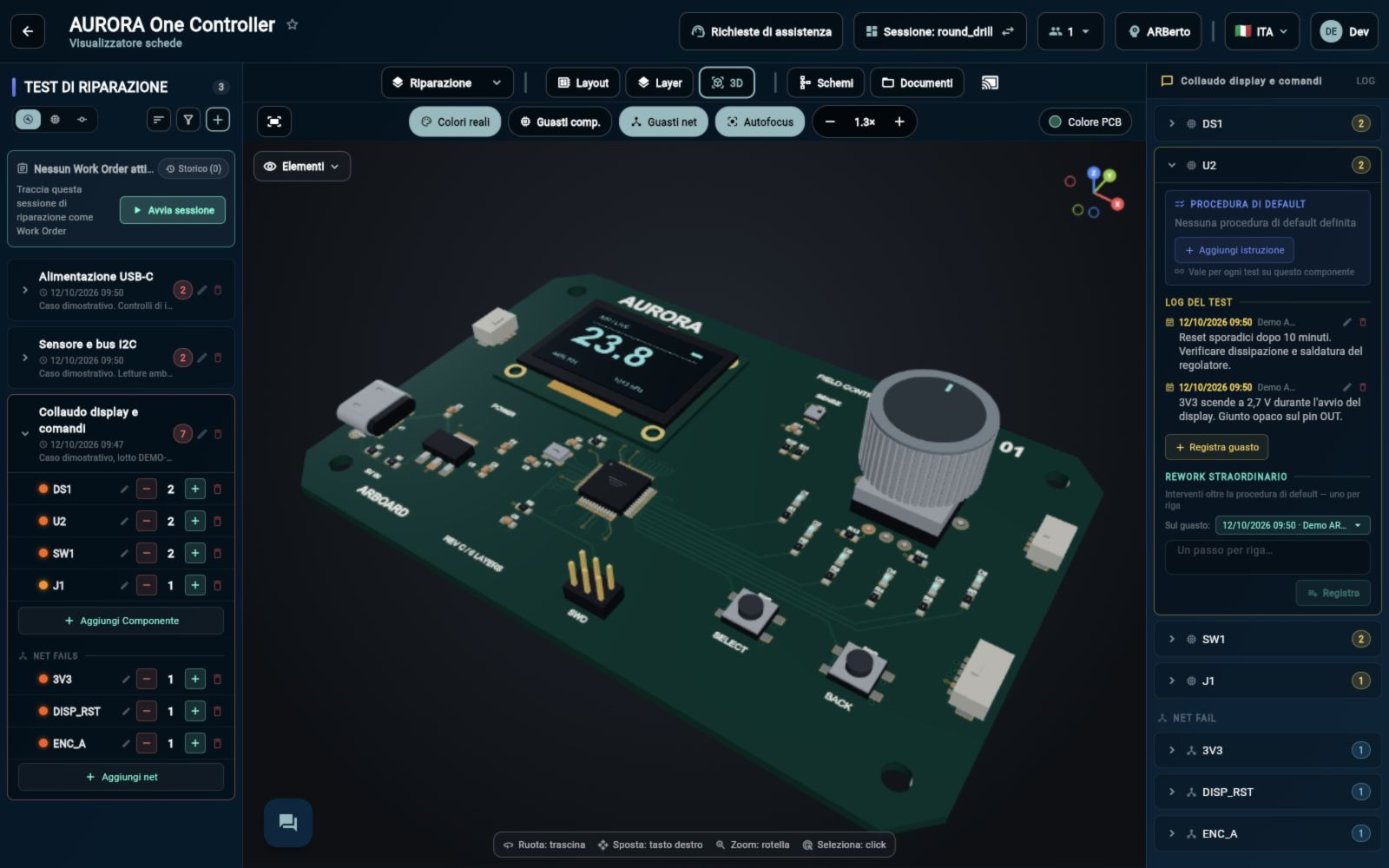
The fault map shows where to start ARBoard counts how many times each component has made a test fail and colors the board accordingly: the suspects stand out at once.
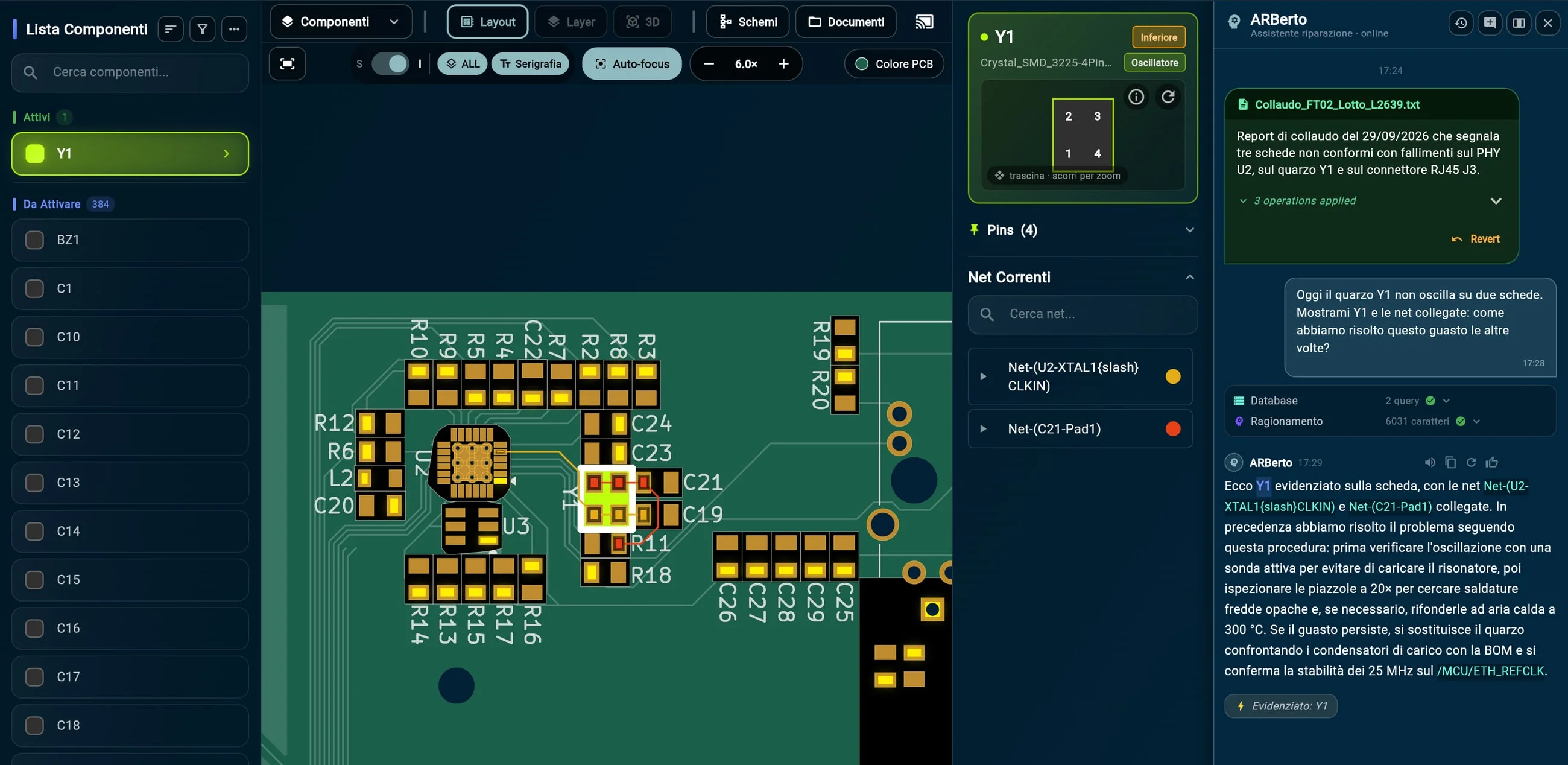
1 Failures counted test by test, component by component. 2 On the board, the PHY U2, the crystal Y1 and the connector J3 stand out. 3 On Y1, next to the failure just imported, the procedure used last time. 03
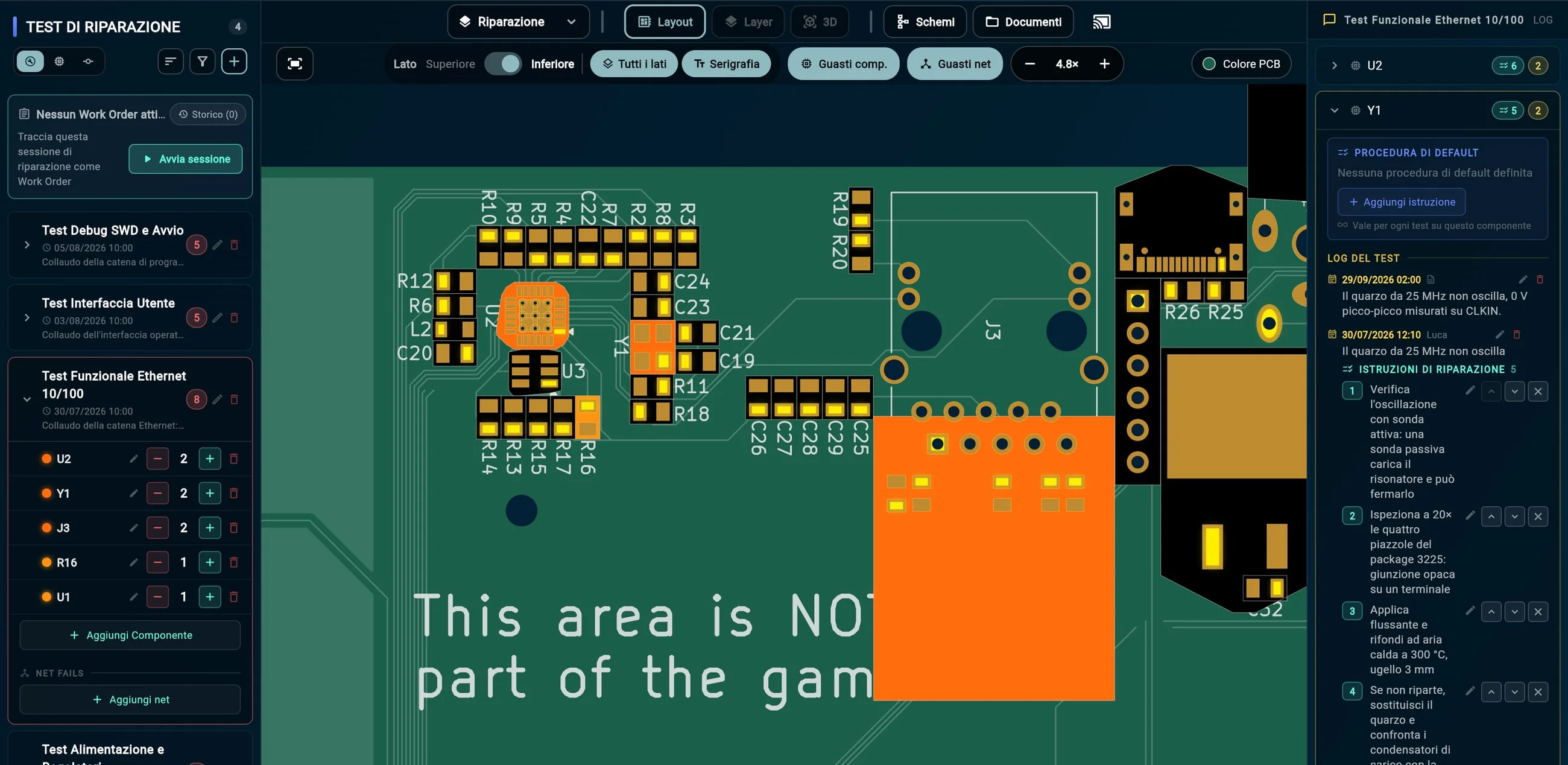
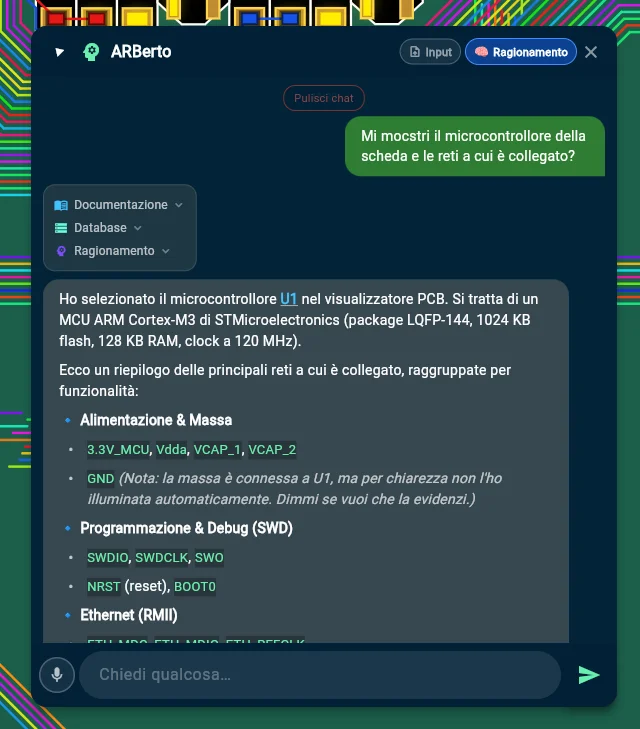
03 Asking the AI colleague ARBerto answers from the history, and shows the answer on the board Ask it as you would a colleague, by voice or in writing, and ARBerto searches the history, the manuals and the datasheets.
1 The question: “How did we solve this the other times?” 2 ARBerto checks the history and brings back the procedure already used. 3 Meanwhile it highlights Y1 and its nets on the board. 04
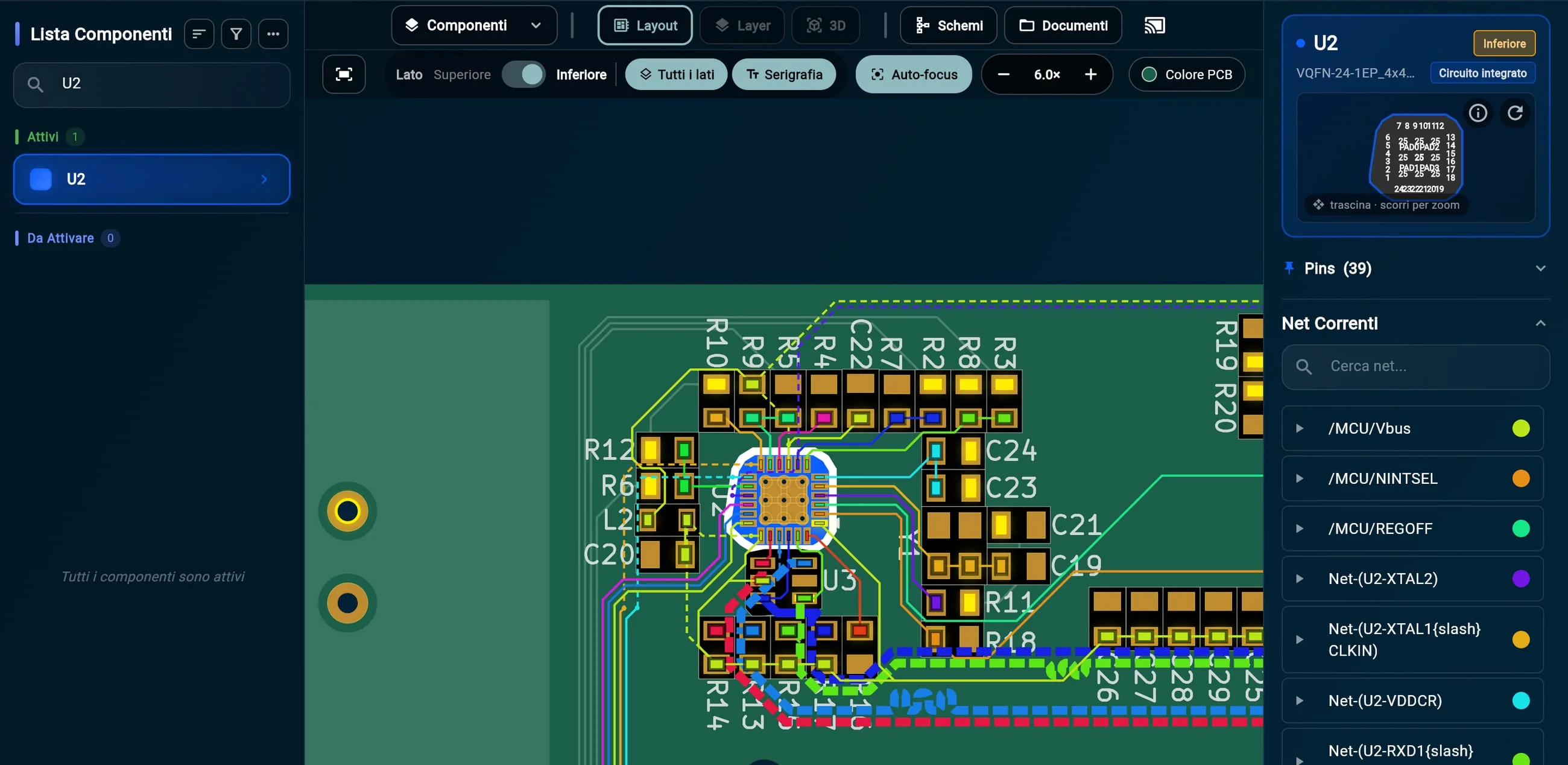
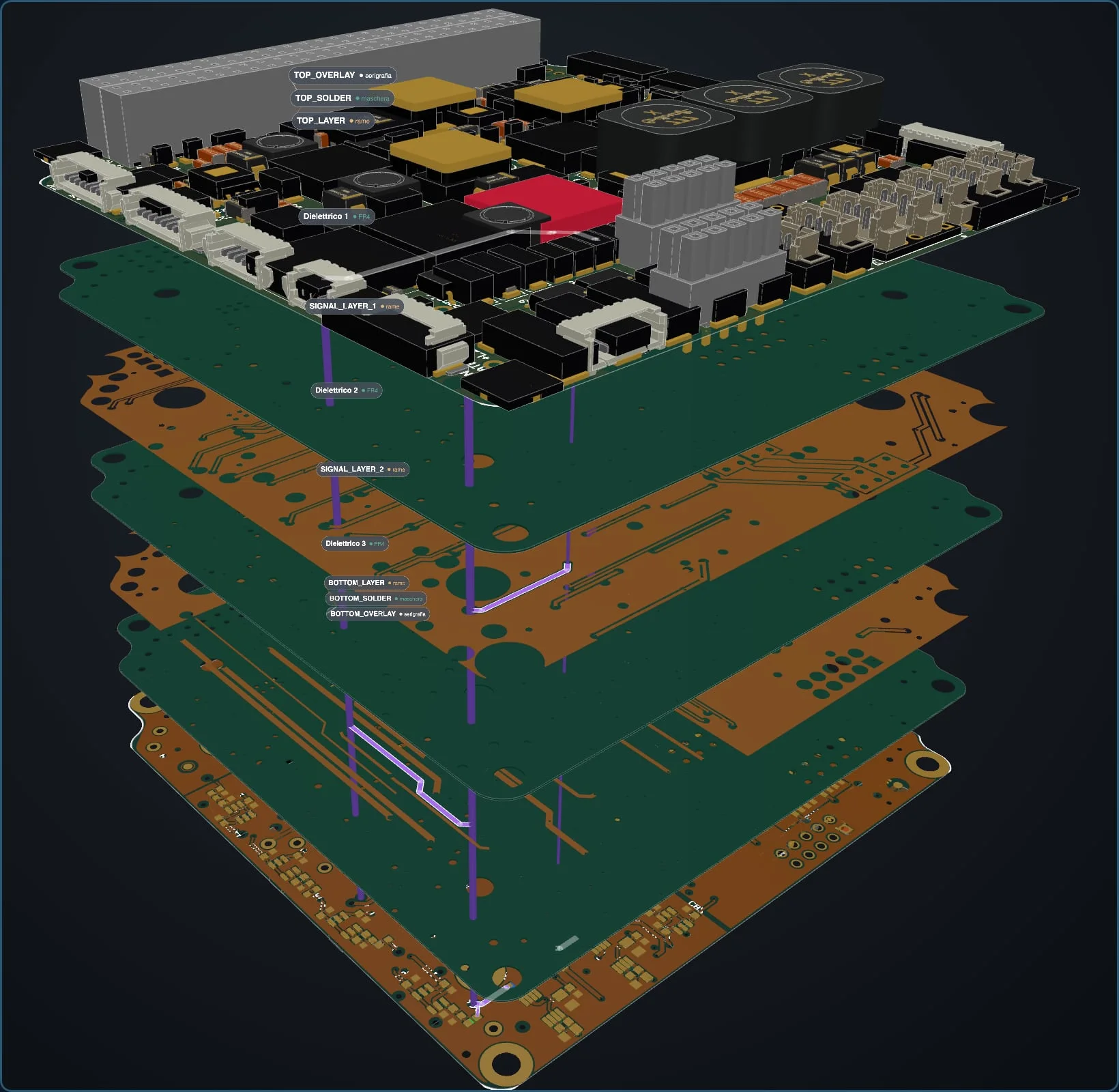
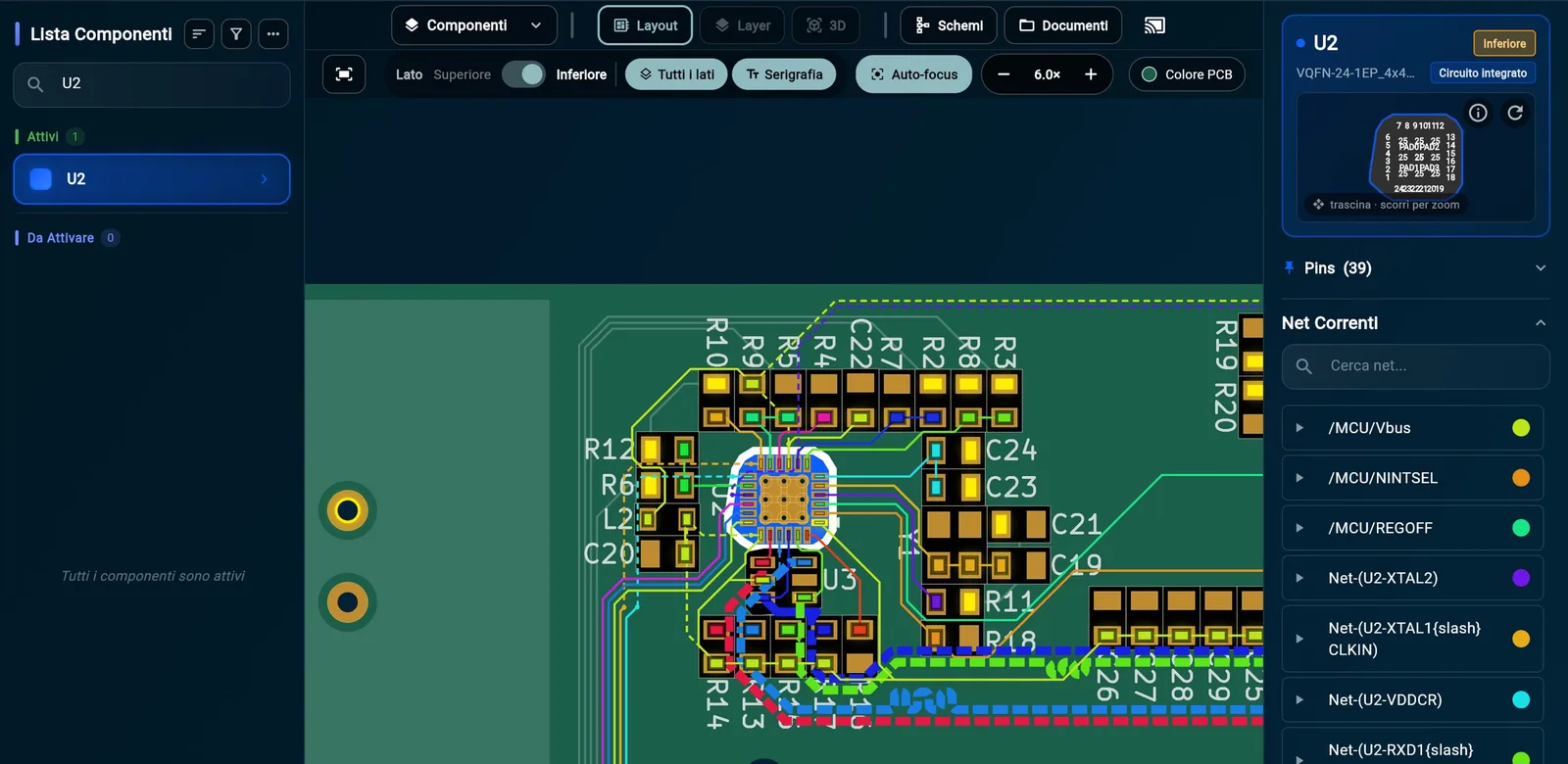
Components, nets and layers, without searching through documents Top and bottom side, silkscreen, schematics and documents: all one click away, in the same window.
1 Select U2, the Ethernet PHY: its pins and every connected net light up, each in its own color. 2 Each net leads to the other connected components, so you can decide where to measure. 05
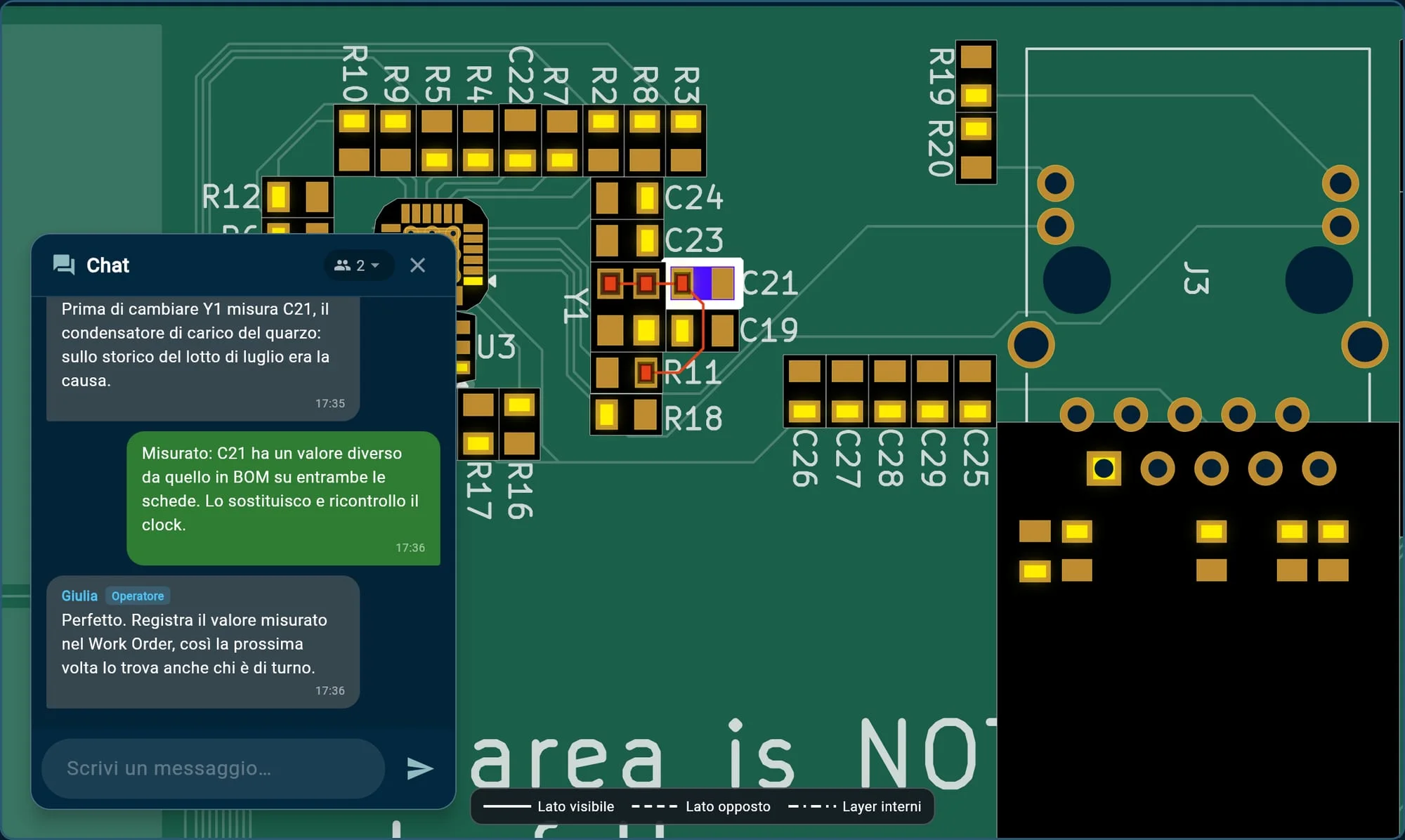
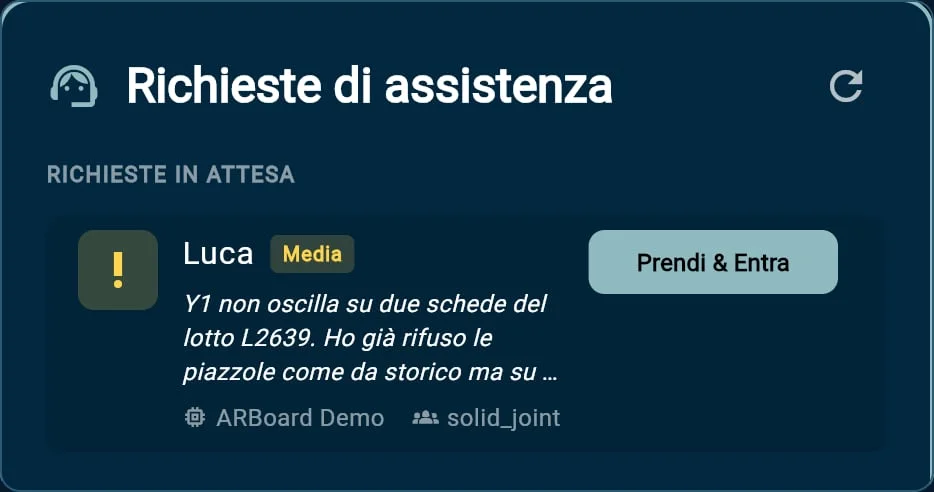
An expert colleague joins the session, even from another department The technician asks for assistance, stating the urgency and the problem. With “Claim & Join” the colleague is in the same session, on the same board.
1 They talk in the built-in chat, with no external tools. 2 When the expert selects C21, it lights up on the technician’s screen too. 06
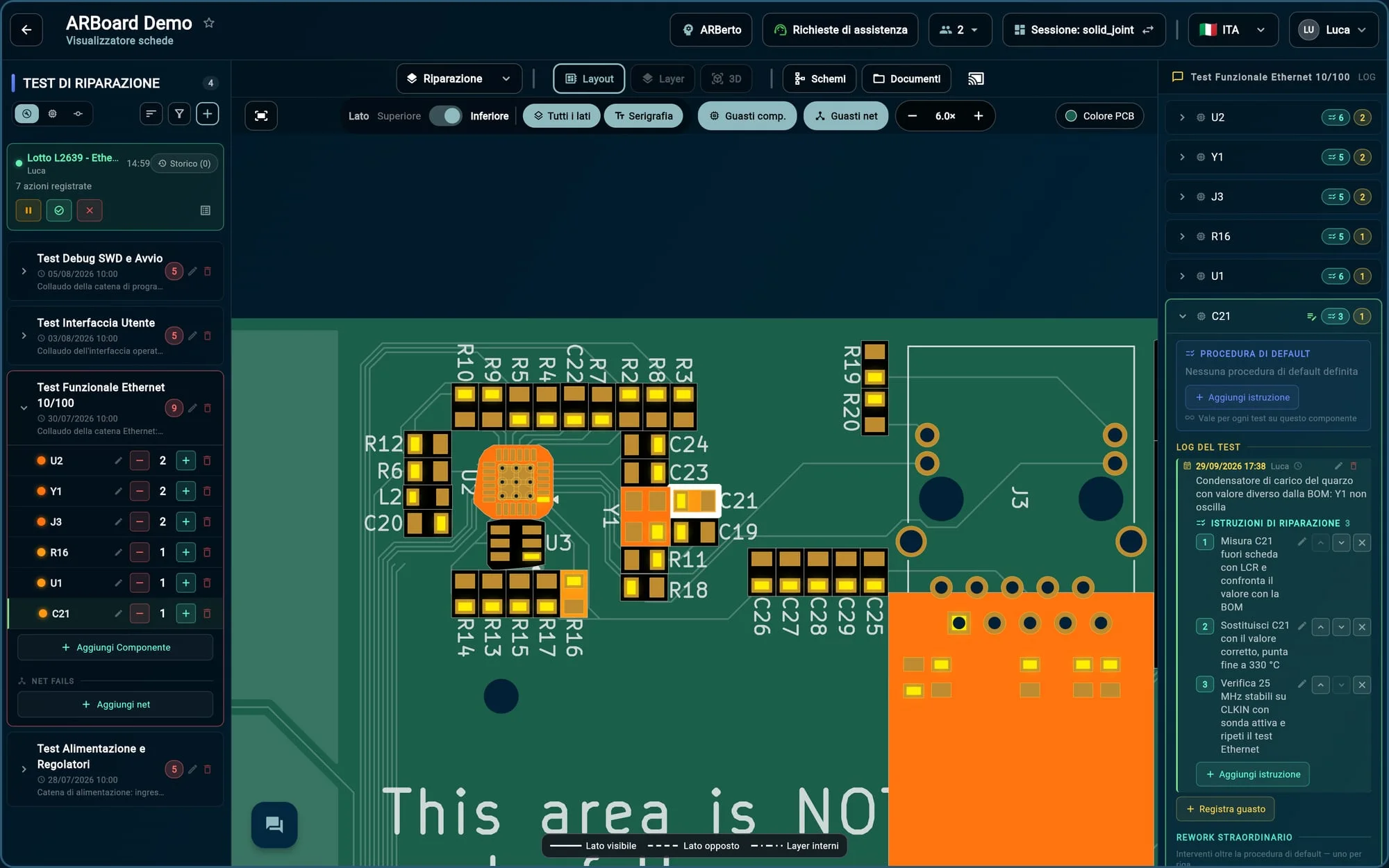
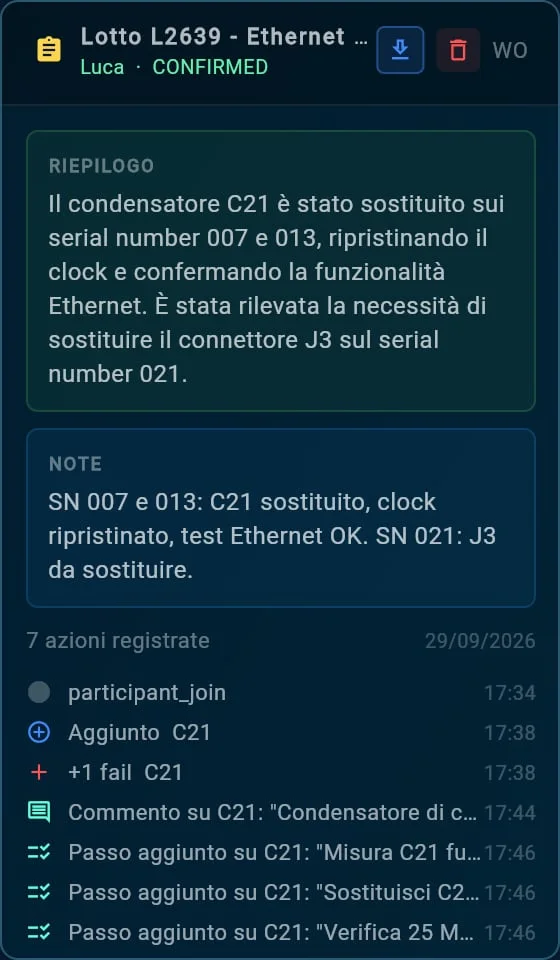
Work Order: the repair is recorded while the work happens Open a repair session (Work Order) and from then on every action is recorded, with author and time.
1 The open Work Order, with who is working on it and the recorded actions. 2 C21 is added to the Ethernet test failures… 3 …with the problem description and the step-by-step repair instructions. 07
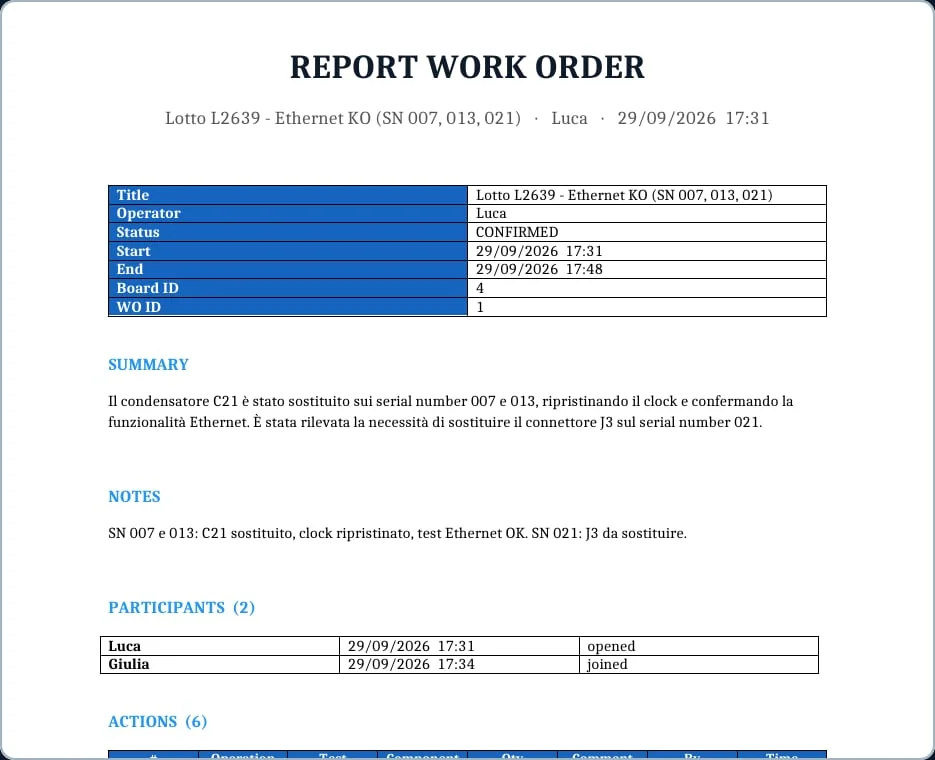
When the case closes, the report is already written, and the case becomes memory On confirmation, ARBoard records who worked on the case and writes the AI summary next to the notes and the action log; the report exports in one click. The session becomes a repair example, and the component catalog adds up the failures of every board.
The next crystal that fails to oscillate will start from here, and ARBerto will know.
The next story could be yours. Let’s organize a demo: we’ll show you every feature, answer your questions and think together about how ARBoard can fit into your company’s work.
Giorgio Insinga — CEO · giorgio@arboard.eu
Swipe sideways to explore the screenshot